Brea
-
Posts
28 -
Joined
-
Last visited
Brea's Achievements
-
Ok, everything is working, thanks! I guess I've been doing it wrong for a while, but if I were to add all my photos to the internal HD I would quickly be over capacity, so a long time ago I moved them to an external drive and backed them up to time machine and backblaze. So, to do it right, I guess I would need more storage on my Macbook? I have a 1TB hard drive. I'm not sure how to interpret this but here's some info on my internal drive currently:
.thumb.png.0dfc0bf29ada8423670aa7ea2e8bd3e1.png)
.thumb.png.bf27e38085b13603c13ee24935c002ea.png)
.thumb.png.dcfc1752f521261dc31fc61fb21ce01e.png)
-
Ok, good news, I've gotten all my files from Backblaze copied to my thunderbolt drive and everything works great with that drive in Bridge. Now I need to reformat my other drive: a WD MyBook 6 TB. I need to erase it and reformat it in APFS format, correct? Then I'll make it my Time Machine backup.
-
Ok I have downloaded a few files from backblaze and I am able to rate them in bridge. So I think I have to order a thumbdrive of my files and replace them with that - after properly reformatting the drive, of course. If I order a drive from backblaze they will mail it to me. I can return the drive once I'm done. It says the drive will be encrypted. Will that matter? Ugh, what a pain all this is! But I appreciate your support!
-
Ok I have downloaded a few files from backblaze and I am able to rate them in bridge. So I think I have to order a thumbdrive of my files and replace them with that - after properly reformatting the drive, of course. Ugh, what a pain all this is! But I appreciate your support!
-
Brian - I've removed the WD software. Unfortunately, it didn't fix the problem. I think the issue is in the format of the drive. I can't rate photos copied from the MyBook Drive to the Thunderbolt. But I CAN rate photos copied from the Macintosh HD Pictures folder that I imported there directly from my memory card. Assuming there's no way to change the format of the images without wiping the drive, I'm thinking I need to go to Backblaze and get a backup from there that was done before I got the new MyBook drive. Hopefully those images won't have the wrong formatting. Working on finding that now in backblaze.
-
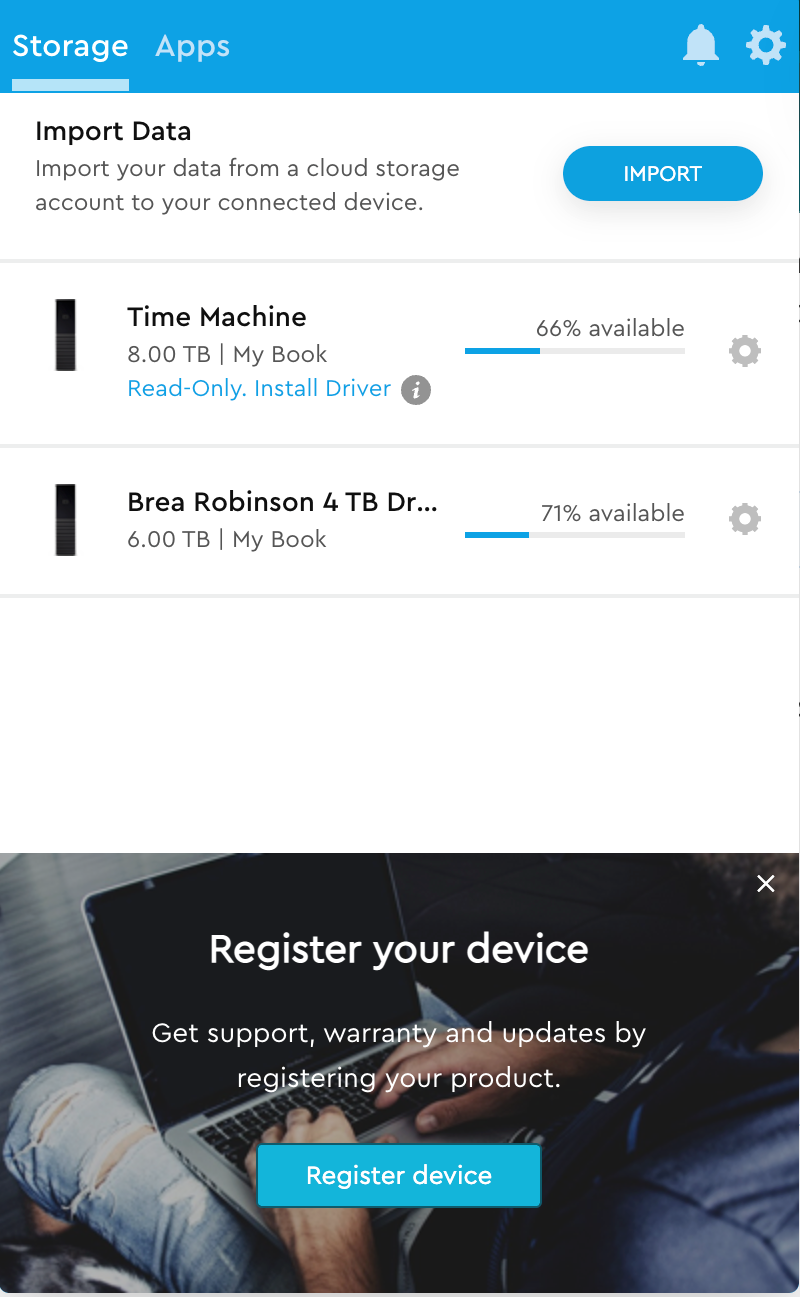
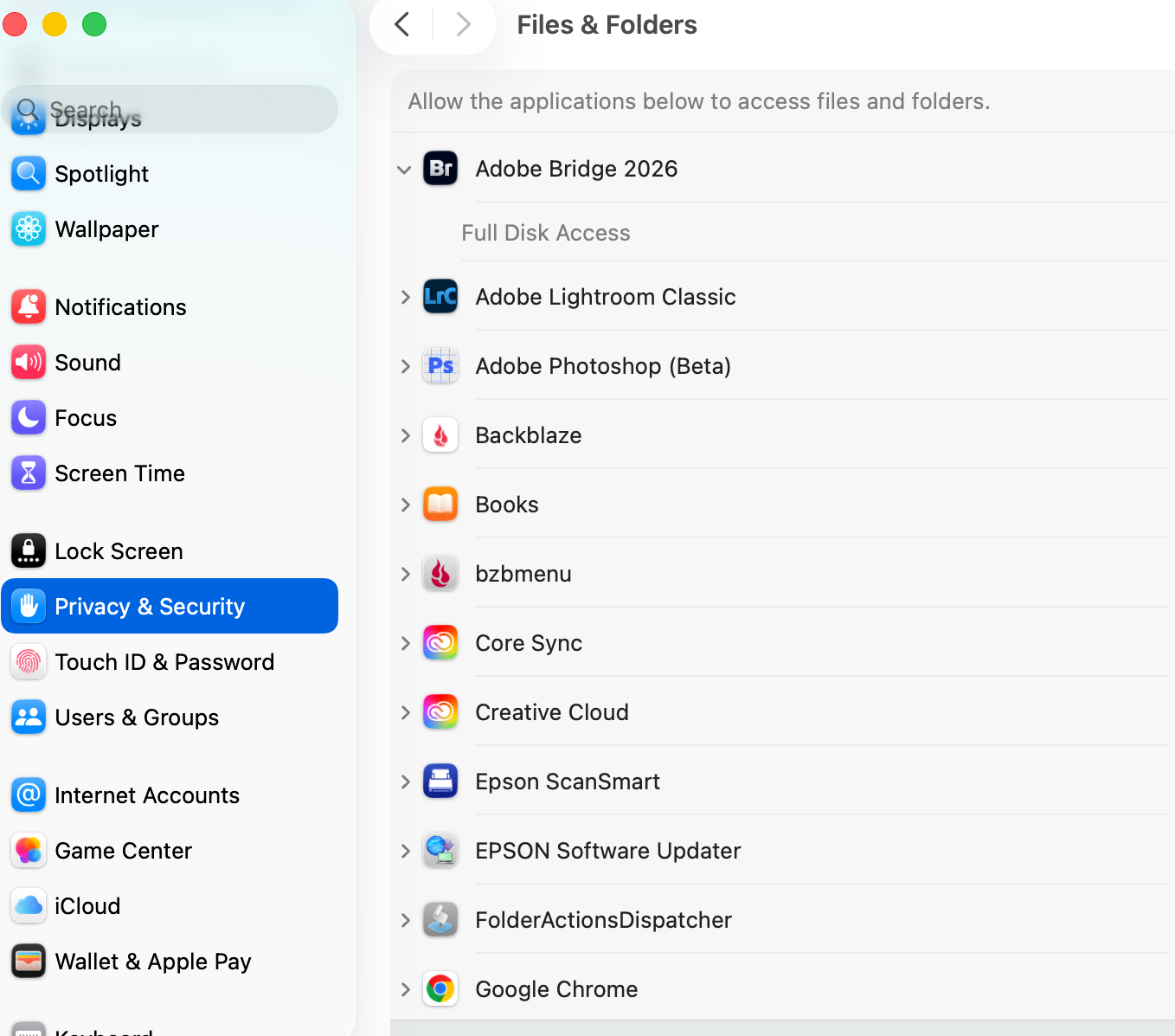
Hi, Brian, Thanks so much for the detailed instructions. I've followed them and restarted the computer. Sadly, it's still not working. Here are some screenshots: 1 - full disk access established for Bridge 2 - this popped up spontaneously. I haven't responded to the pop up. 3 - my time machine is a WD My Book.
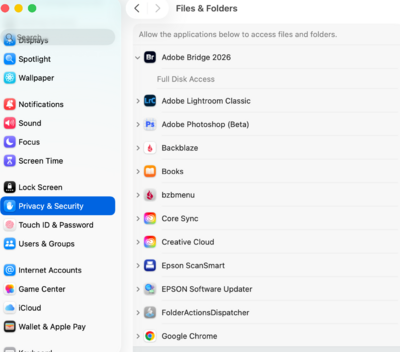
.thumb.png.4229d43f21e5a615e9cb769094086269.png)
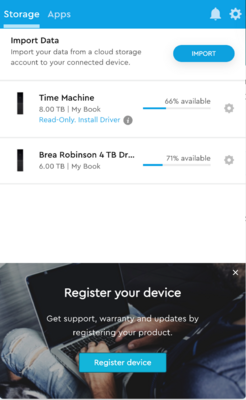
-
ok, I've successfully reformatted the thunderbolt drive and it appears on my desktop with the new name. I copied over a couple of .CR2 images successfully - however, I still can't apply a star rating to them in bridge when viewing them on the thunderbolt drive. I can open them in ACR and manually apply a rating there but not in bridge. 😞 I also copied over a .DNG. Same result with star ratings. I'm not sure why some of my files are .CR2 and some .DNG, or if it matters.
-
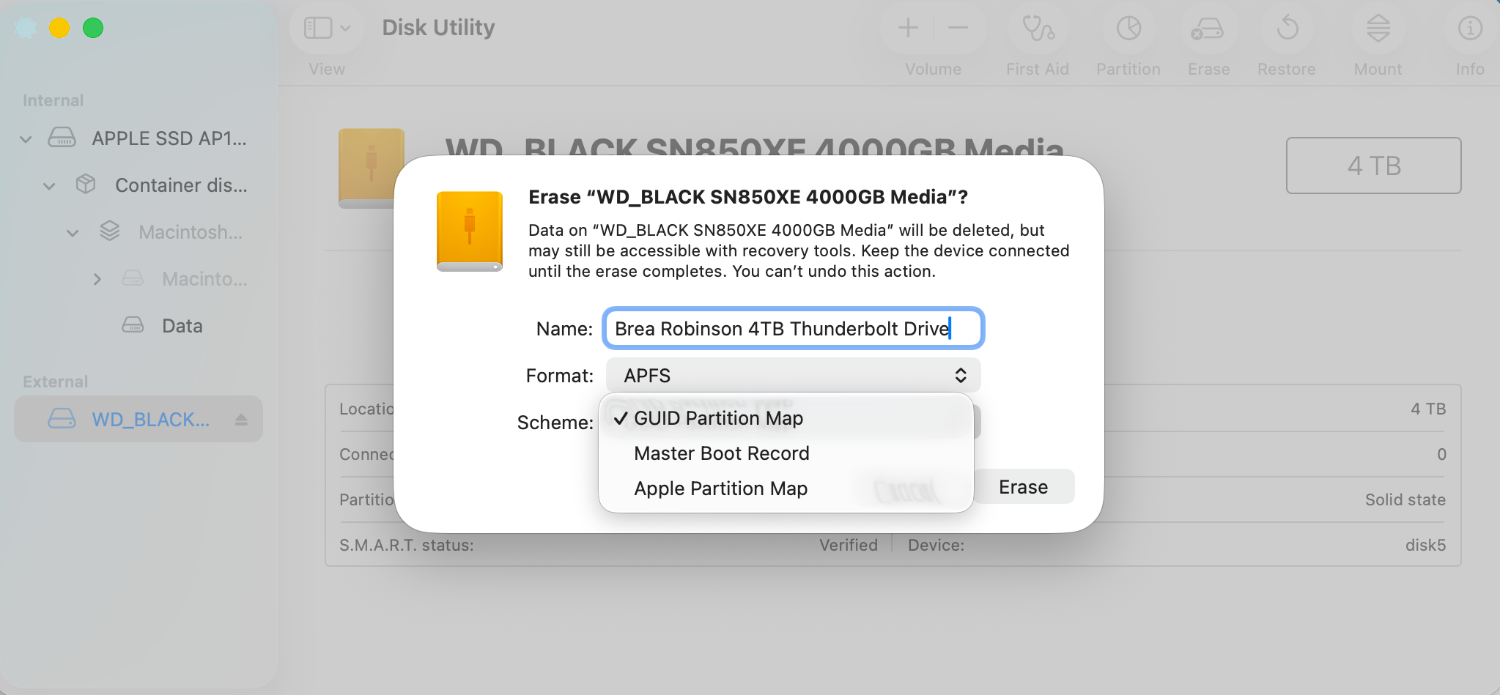
Ok - it asks for a scheme and gives these 3 choices, below. Should I leave as is?
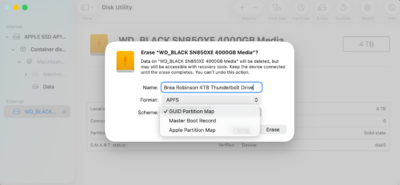
-
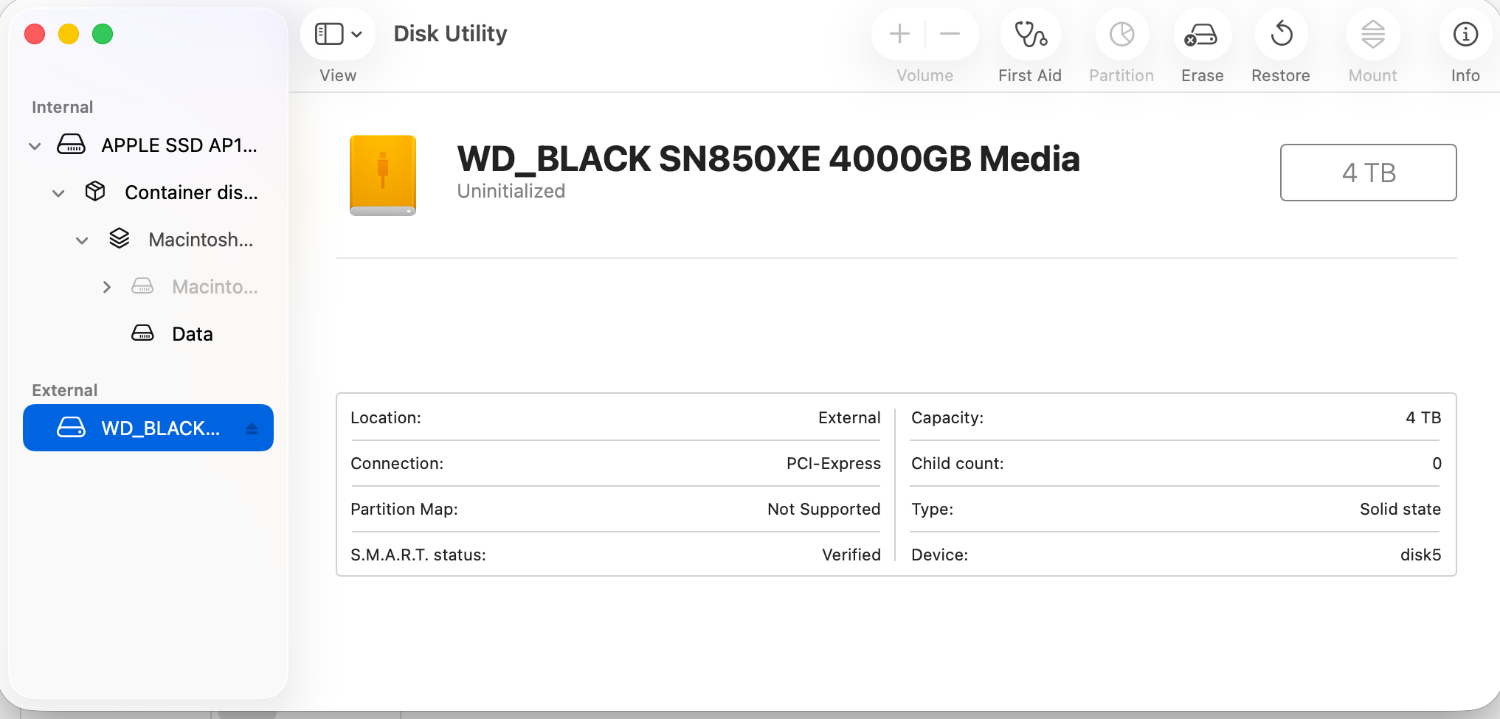
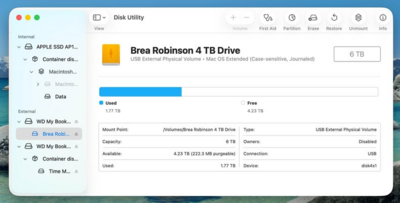
Ok, all of this is done and I can see the new drive in the disk utility. Here's what I see:
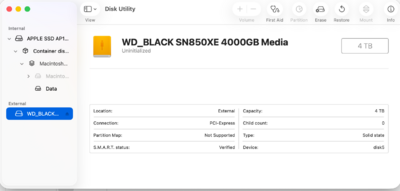
-
I have the new drive and I'm ready to format it. It's this one: SanDisk Professional 4TB PRO-G40 SSD. How do I proceed with formatting it? Thanks for your help!
-
Ok, I’ll have the new drive you recommended on Friday.
-
should I be able to reformat the 4 tb drive, then copy the lastest backup from the time machine drive to the freshly reformatted drive if the time machine is also case sensitive format? also, I have a thunderbolt adapter. If I used that with the usb drive would that make things any faster?
-
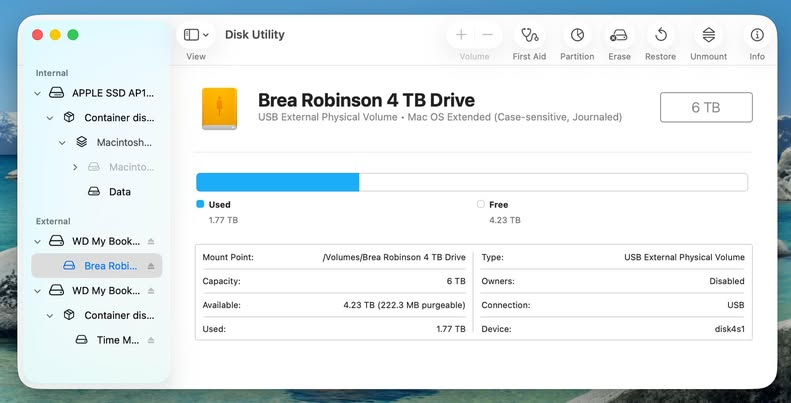
the time machine is a separate drive. I had to reformat it last week and it looks like for some reason i used the case sensitive format. So I've got to figure out how to move the data and reformat them both. And/or as you said, look into a thunderbolt drive. thanks for your guidance.
-
ah, ok, thank you. I think the reason I did that had something to do with a message that popped up with time machine. I have all my files backed up to time machine but i wonder if i have the wrong format on that one too.
-
I'm in Bridge and I can't get it apply a rating with either the keyboard or the Label menu). I'm in the Essentials pane and I press the spacebar to see the photo full screen. I press Command+5 (or whatever number) and nothing happens. The star ratings don't respond. I used bridge a few months ago and it all worked just fine. All Adobe apps are up to date (I have Adobe cloud subscription). The computer is up to date. There's plenty of free space. I've tried purging the cache and resetting the preferences in Bridge. Also, possibly related (?), I can open a file from Bridge to ACR, but when I hit Close I get the message "unable to save the RAW conversion settings. The file could not be created." Damien helped me pinpoint that I am able to use star ratings with files that have always been on my internal hard drive, so I think the external hd is the issue. I did recently replace it and am wondering if the formatting of the drive could be the issue? Thanks for any help you can offer!
.png.2cf90b67539d3ee02e1de79070c2abe8.png)
.png.0c092309eb99c8b96352c4173b19233a.png)
.png.787d0a5522510b1da2699c2004fb331e.png)
.png.5cf0dc6f5e4b24182ea84881c3b3f897.png)