Sam165
-
Posts
771 -
Joined
-
Last visited
-
Days Won
1
Sam165's Achievements
-
Hi Brian, I am trying to update to Ventura 13.7.8 . The link you gave me above isn't working when I click on it. Am I doing something wrong?
-
Thank you so much!
-
Thanks Brian. I definitely won't do Sequoia. Do you think even Ventura 13.7.8 is risky? IF so, I will just save my pennies, er... nickels. Can't thank you enough.:)
-
Hi Brian. I was just looking at my MacBook Pro (15 inch, 2018) and noticed it is running Big Sur, 11.7.10. I know I updated my desktop to Ventura 13.7.8. Can I update my laptop to Sequoia? My laptop has 16GB memory, 6-core Intel Core i7, Graphics Intel UHD Graphics 630 1536 MB. TIA
-
Sorry, I just thought of one more question. What about a MacBook laptop with M5 chip? Thoughts?
-
Oh Rats!! I will try to hold off until next year but that will no doubt be my limit for this computer. I will monitor that website (thank you, btw). Thank you so much for this Brian.
-
Ok. So I think what you are saying is wait until I hear about M5 with MacStudio. Is there a website that I can monitor for this? Thanks Brian.
-
Hi Brian, I am wondering if you have an update now (mid-April 2026) on what to buy when it comes to a new desktop. TIA
-
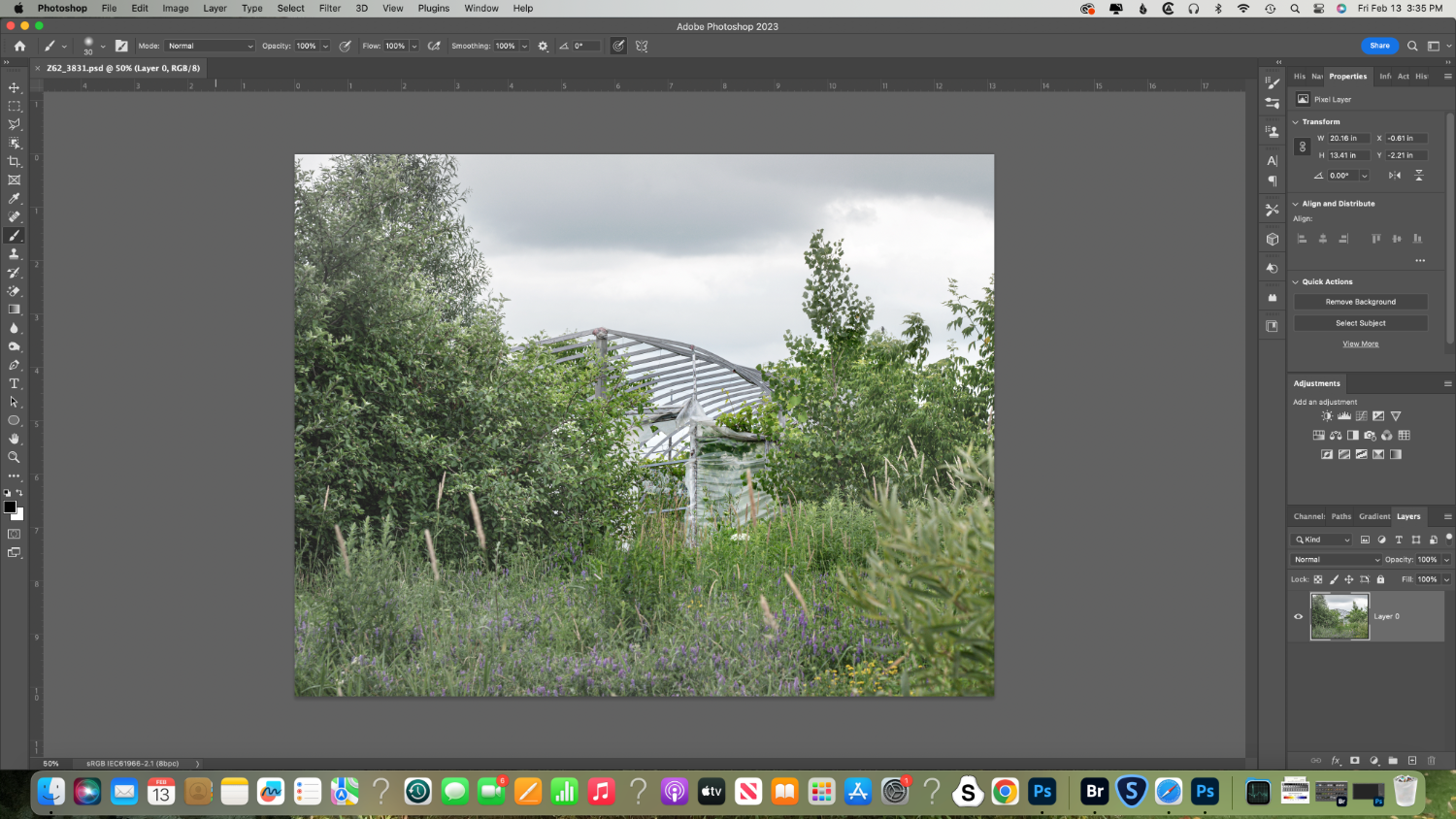
I have been going over this image. It looks like this PSD file was cropped. I can't believe I did that. Maybe I meant it to be a JPG and in my haste/fatigue I cropped it and called it PSD when it should have been a JPG. I have the original raw file, so I will re-do all the layers and save as I normally do. Sorry to have bothered you.
-
Gosh, I don't remember as this was in the summer. Possibly??
-
Actually in the image shown, I did not add a sky. That was in another image with the same thing - no layers showing.
-
I do not edit in LR. The only thing I can see is that I added a sky to the image. There would be about 8 layers in the file that should be showing. Should I still try to flatten it?
-
-
Hi Brian. I have a couple of PSD files that when I go to open them up again in PS, there are no layers. The only layer showing says "Layer 0". How do I go about finding the layers, if I can? Thanks so much.
-
Thank you again so very much. Will do.