Farah
-
Posts
15 -
Joined
-
Last visited
Farah's Achievements
-
yes I found a picture with her feet not blocked. I'll try and see if I can do a composite. thanks for the idea!
-
yes! thankfully I did that!
-
no. I didn't think of it 😐
-
yes that's why i'm stuck and thinking if I should just give up on this image altogether or if there's still a way to make it salvageable.
-
she wants just grass. she wants it to seem like they're sitting on grass. I thought about just cropping in a way to cut out the blanket altogether but wasn't sure if it was the right approach.
-
When I zoom into this image, I can see the eyes clearly and much better. If the flare wasn't there, I'm sure the eyes would be in focus. Is there a way to even minimize the flare? I need to remove/minimize the flare and also remove the blanket. Thanks.

-
yes I shot raw.
-
and this is what happens when I use Flux Kontext Pro to remove sunflare. The eyes are blurry and I need help with better editing on this image. Thanks!

-
this is my sooc image before I tried working on removing the flare.

-
Hello. How do I remove the sunflare and blanket? Is the image saveable?

-
Bridge crashing
Farah replied to Damien Symonds's topic in Photoshop / Elements / Bridge / ACR questions or problems
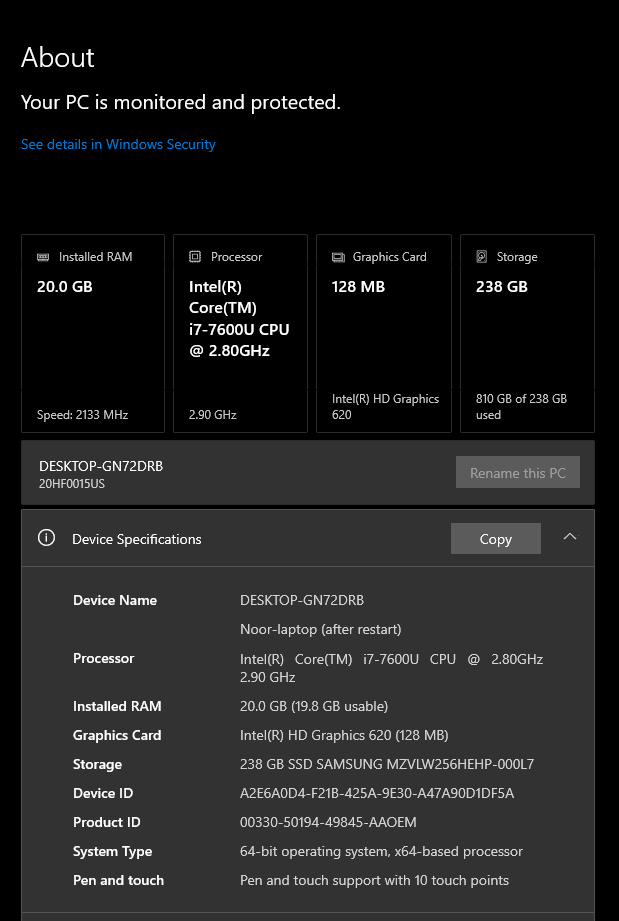
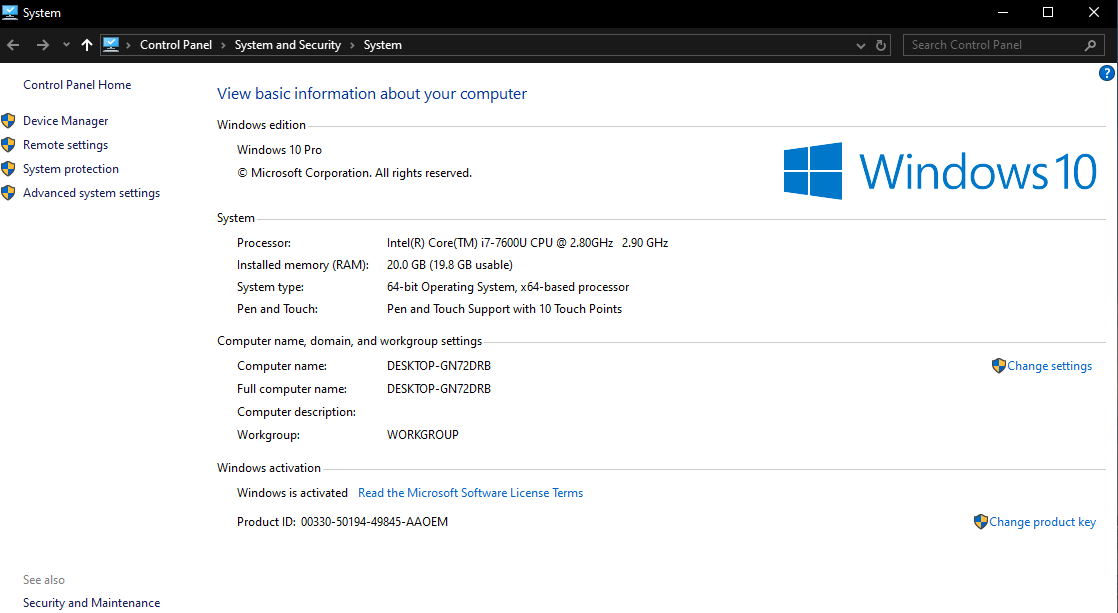
am I doomed with this laptop? my desktop died recently so this was my emergency backup that I had lying around.
-
Bridge crashing
Farah replied to Damien Symonds's topic in Photoshop / Elements / Bridge / ACR questions or problems
just to note, I can click on all the other options under the Edit tab and I can see the Keyboard Shortcuts, Color Settings, and Camera Raw Preferences. I just can't get the Preferences options to pop up. -
Bridge crashing
Farah replied to Damien Symonds's topic in Photoshop / Elements / Bridge / ACR questions or problems
I have a PC laptop running windows 10 and Photoshop 2025. It is over 3 years old, and has 20GB of RAM. Its hard drive has 136GB free out of 237GB, and it runs a 128 MB graphics card. The last time I shut down was just before posting this thread. I run a cleanup program about once a month.