
Kelly Greer
-
Posts
151 -
Joined
-
Last visited
Everything posted by Kelly Greer
-

Black lines on macbook pro screen
Kelly Greer replied to Kelly Greer's topic in The Macintosh User Group
Thank you for sharing your insights, Brian. Always appreciated! I make book covers, too, and my author said, "I can tell you the language I used to generate the title font." and was VERY surprised when I told her that I don't have that option right now. Then was surprised when I told her an upgraded computer was almost $5000. (But, of course, was asking how to get her computer running better maybe a month ago.) Thanks, again! Happy Holidays!! -
Black lines on macbook pro screen
Kelly Greer replied to Kelly Greer's topic in The Macintosh User Group
Happy Holidays! I'm finally ready to pull the trigger on a new Macbook Pro. (sigh) I was going to go with your early 2025 recs, but then saw someone mention going with the M5 chip for a mac mini, and you said yes do that. However, the macbook pros only have M5 chip on a 14" and those seem to have a lot less cores (10 vs 14/32 on the 16" m4 max). So, just clarifying if I should stick with the early 2025 recs you have listed. -
Black lines on macbook pro screen
Kelly Greer replied to Kelly Greer's topic in The Macintosh User Group
That's what I figured. I'll look into them, thank you. At 6 years old, probably better to save my money for a new computer than fix at Apple. -
Black lines on macbook pro screen
Kelly Greer replied to Kelly Greer's topic in The Macintosh User Group
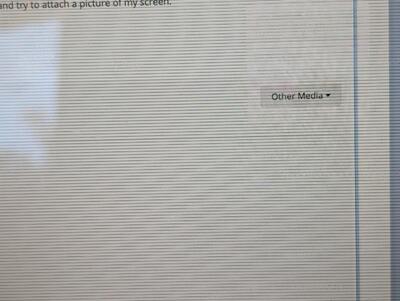
Oh, and if I close the laptop, the lines go away until I move something on the screen.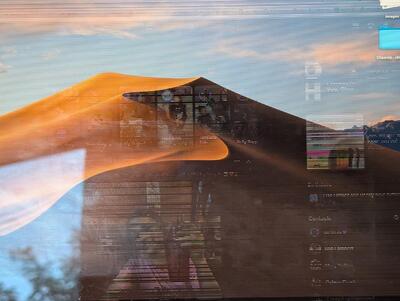
-
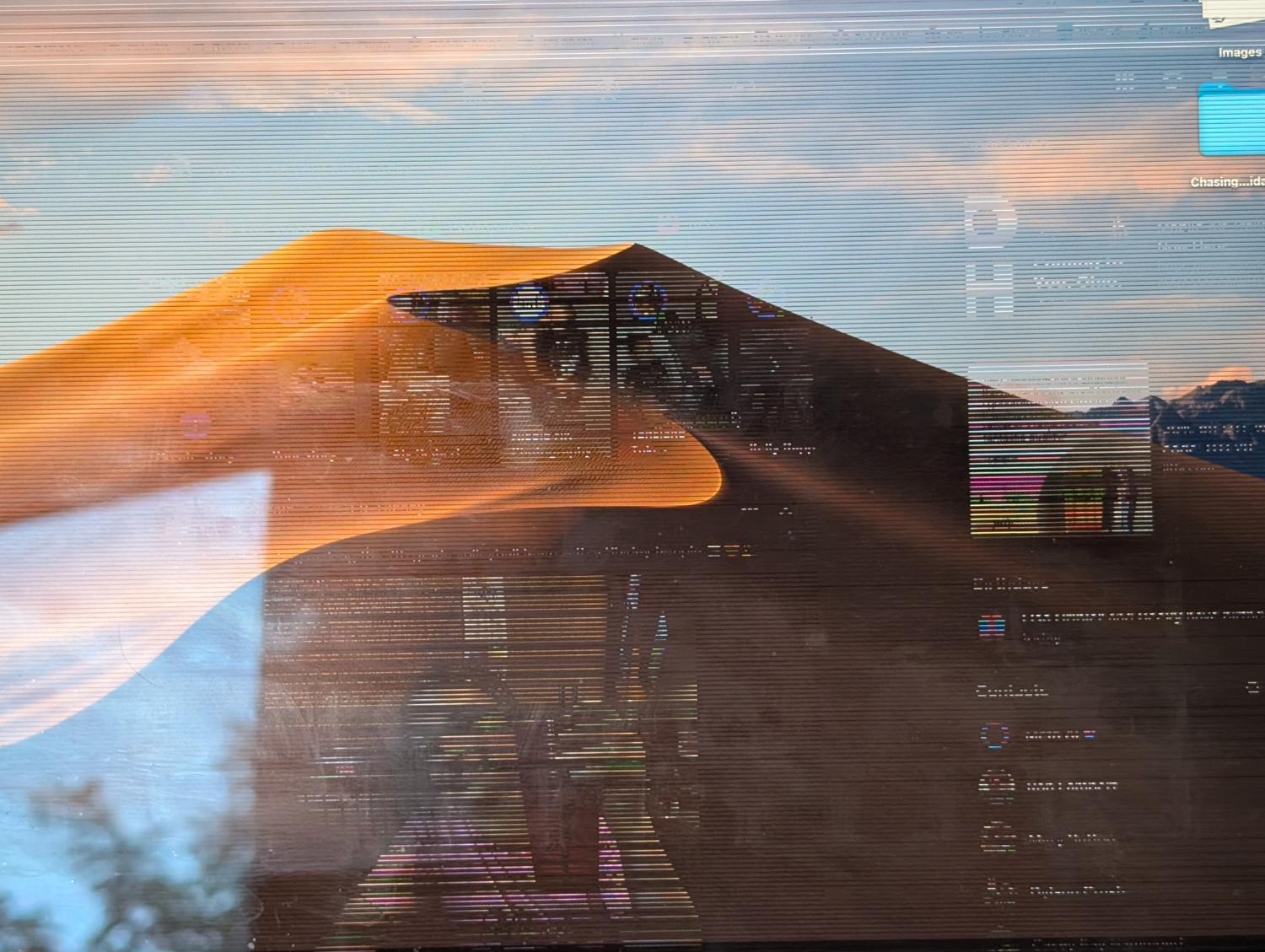
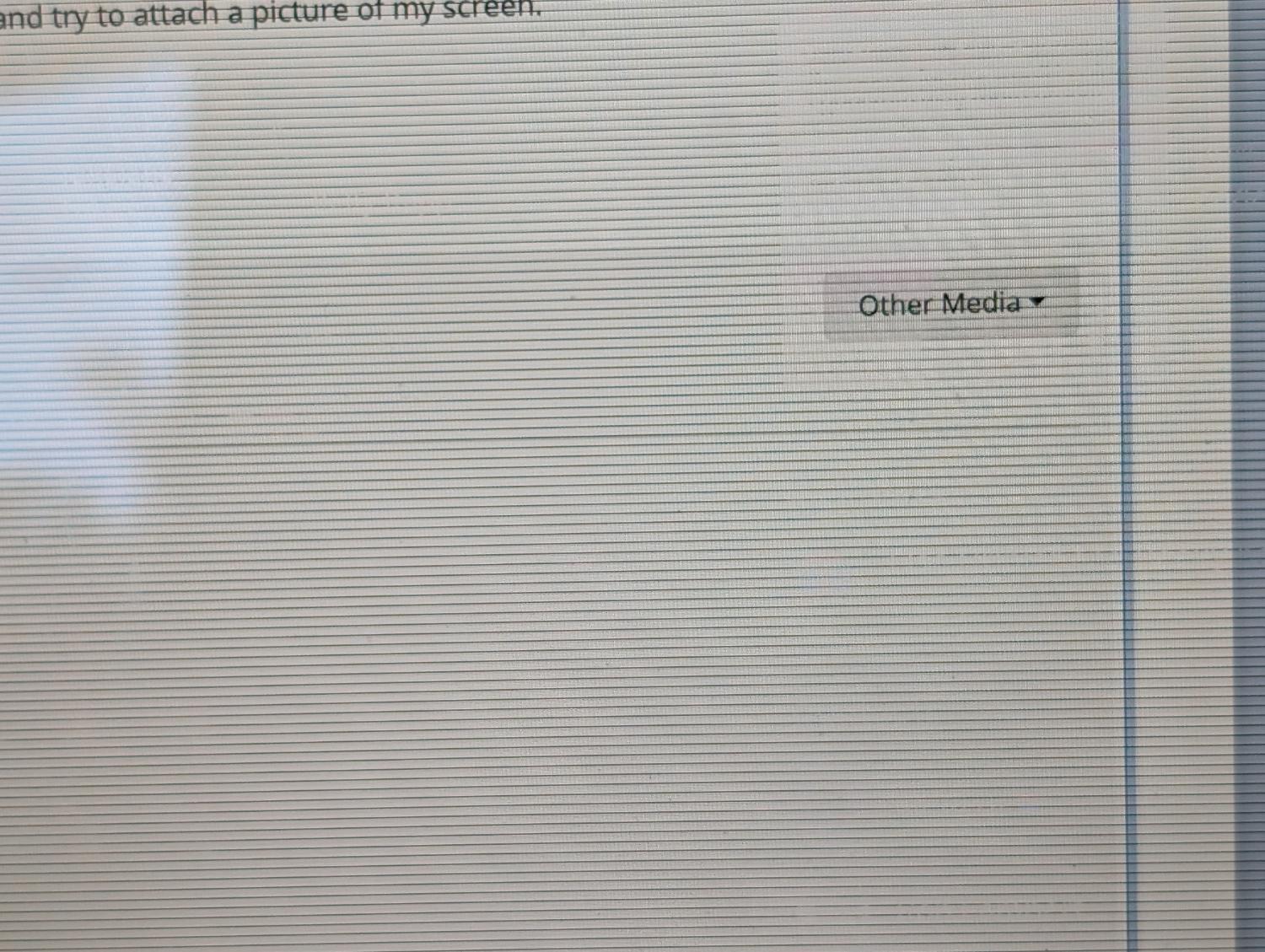
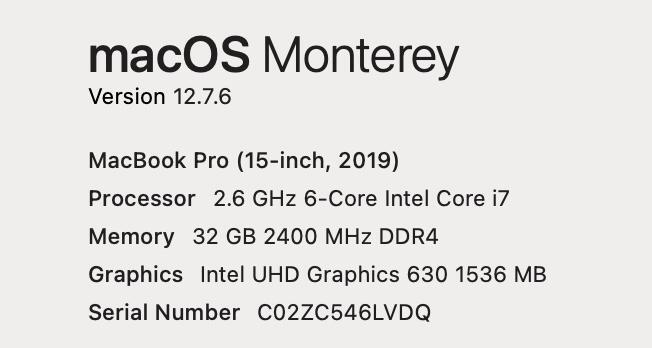
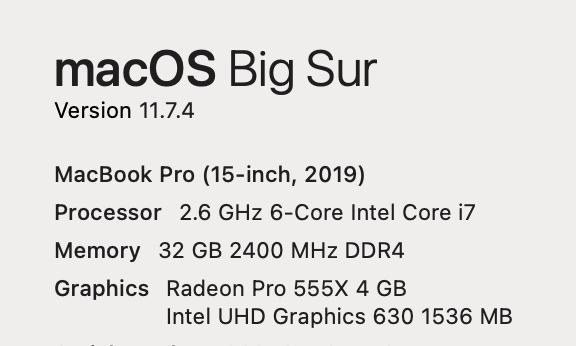
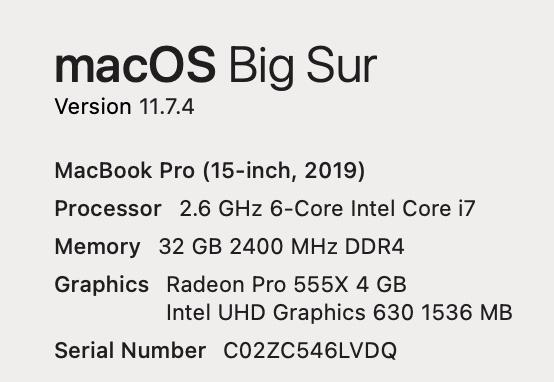
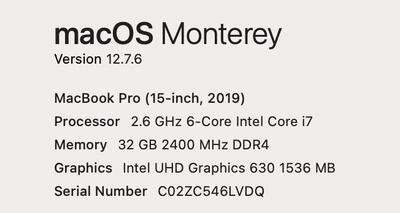
Sigh. Do you have any experience with thing black lines appearing on the screen? Then if I move a finder folder or switch apps, the photos leave remains. I followed most of the instructions I found on Google, other than updating to the newest OS. I'm assuming I've got a connection issue? MacBook Pro, 15 inche 2019 (old, I know) and I attached the rest of the "about this mac section." I'll get on my phone and try to attach a picture of my screen.
-
Any problems with Sonoma 14.3
Kelly Greer replied to Michelle Pena's topic in The Macintosh User Group
Nope. I don't even want the new mac features. I'm good. Thanks! -
Any problems with Sonoma 14.3
Kelly Greer replied to Michelle Pena's topic in The Macintosh User Group
I'm on a 2019 Macbook Pro and running Monterey and PS CC 2023 - Already turned off ALL PS updates. Should I stay on Monterey, as well? No more OS upgrading? (I came to ask, and saw this thread.) -
Yup. It's been turned off. I must have done one too many manual updates just on ACR, believing them when it said it was just support for new camera models. I'm happy where I'm at, with my 4 year old computer that cost plenty. Thank you for all of your help.
-
Update: It DID help. Much better.
-
Who didn't restart bridge after install? This girl. All squared away! Now to see if it helps.
-
And I have 350gb free of 1 tb, ran clean my mac this morning, and restarted after.
-
Have done. My computer has been running slow in ACR. I think I need to roll back a version (maybe did one too many updates before I stopped.) I found where to download 14.5 (I'm on 15.5), but installing it did nothing. 15.5 is still coming up. Help?
-
Thiiiiis close. K. I have that off now. Thank you!
-
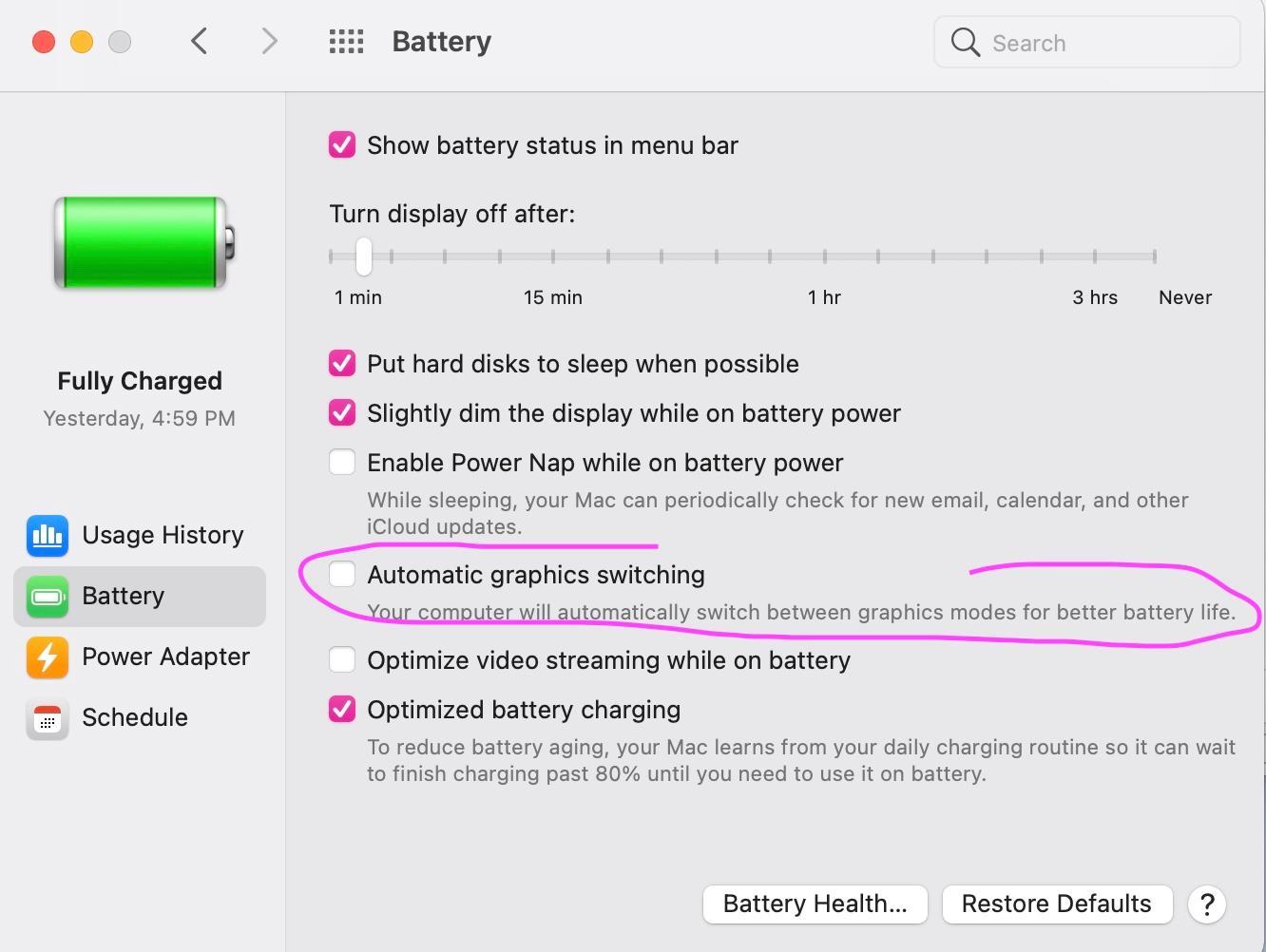
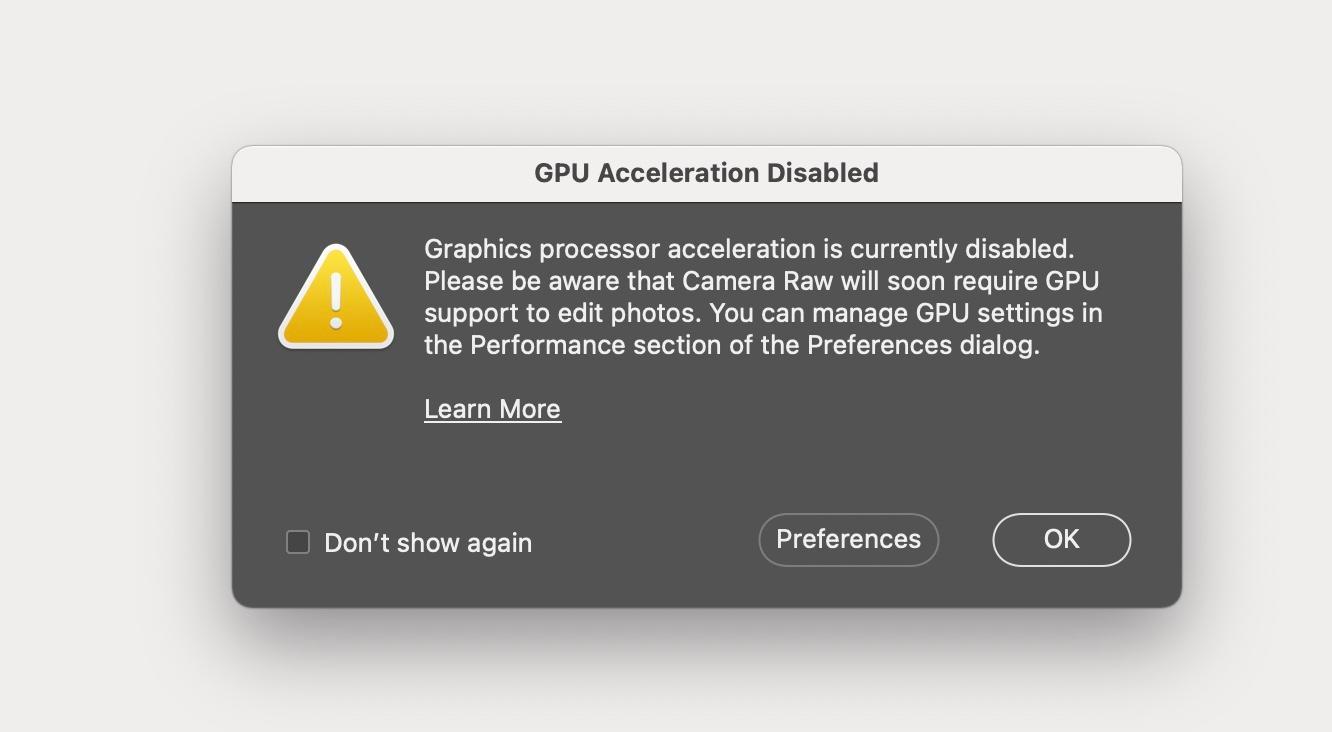
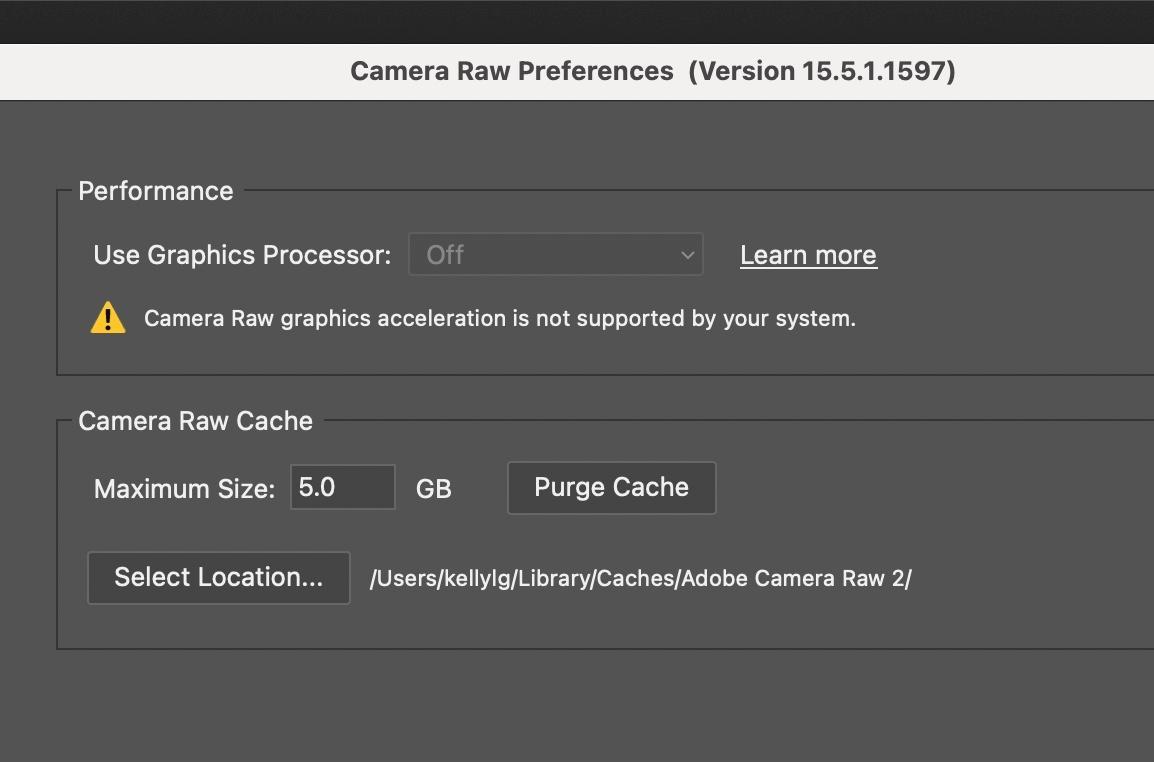
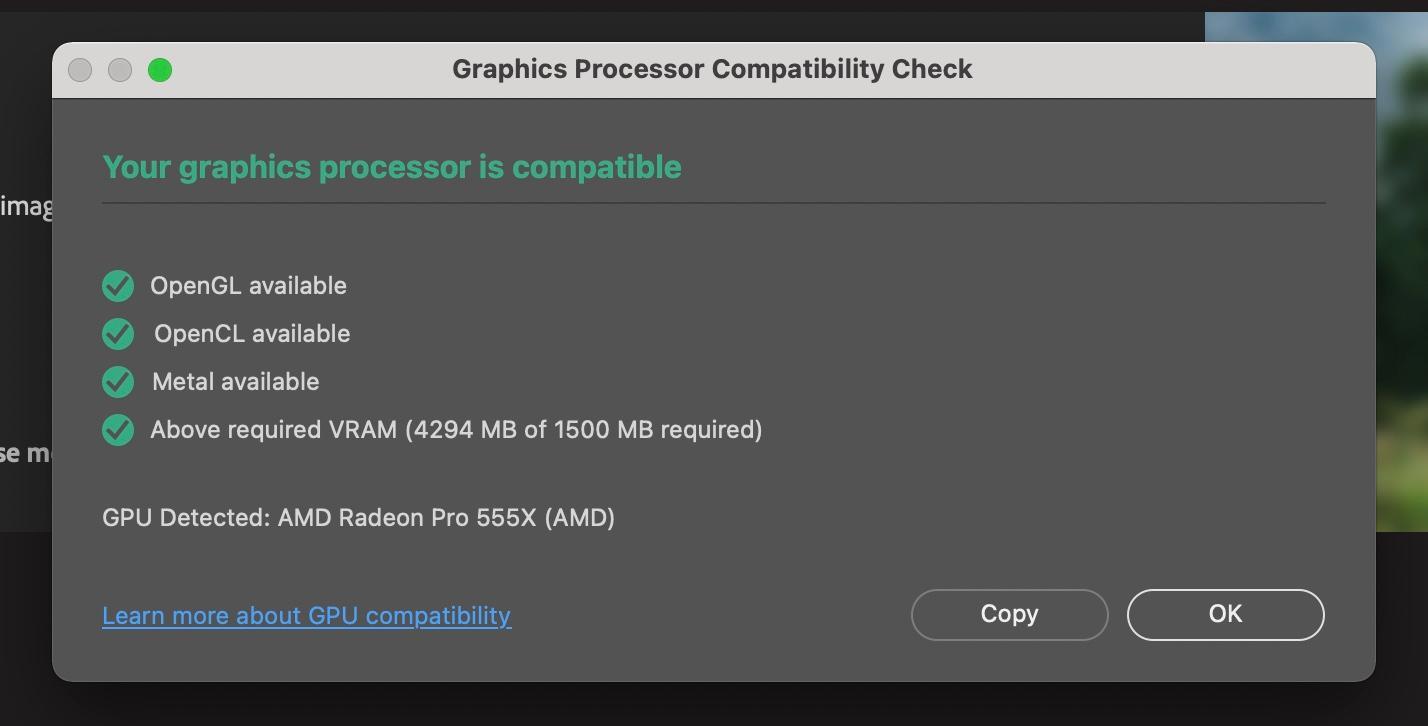
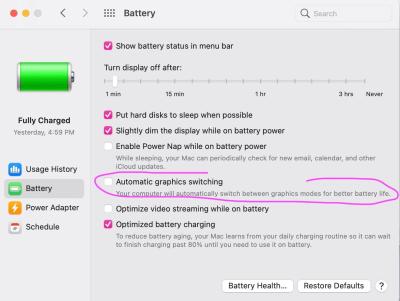
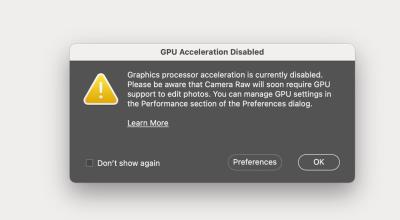
Hi 👋 Me again. This error started popping up yesterday. I went and read the posts you have on it. I already turned off auto-updating last month, per our previous conversation. I'm assuming this is just warning me of what we already know for the future? However, should I have Automatic graphics switching turned off? Thanks!
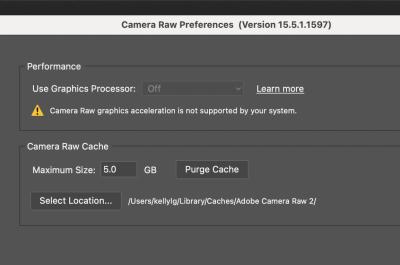
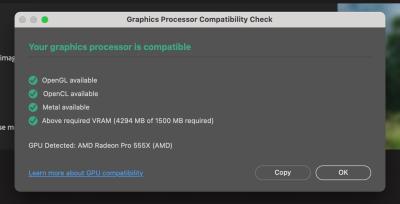
-
That's what I thought. The idea of getting backdrops filled in with one click is tempting, but I'll stay where I am and start saving. Thank you. I am definitely not the 5 image person. 🤣
-
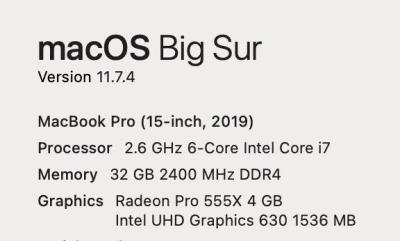
I've attached my stats - am I upgrading my OS and upgrading to the new PS, or am I staying where I am? 1 TB HD
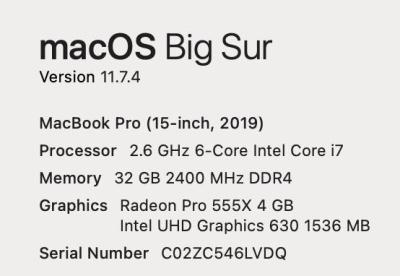
-
2019 Macbook Pro Battery Replacement
Kelly Greer replied to Kelly Greer's topic in The Macintosh User Group
Brian. I called ahead. She said they could do it in-store, but couldn't tell me if they had inventory. I went in. They no longer do any repairs in store. And the battery is in such a place that I'll be getting a new keyboard, too. After the 3-5 business days repair. -
Talk me down, Brian! Would you go to Apple and have them replace the battery for $268, or attempt do do it yourself for $75? 😂 I replaced lots of things on my old macbook. I know this one isn't supposed to be opened by the general public, and this battery looks intense....but they can't even guarantee if I drive the 35 minutes there that they'll have the battery! WTF. Ok, this is all. Tell me I'm dumb and need to go in.

-
😇 🙌 Backed up computer, got up to 590 gb free, upgraded to big sure, updated chrome via chrome, and all is well again in Kelly-land!! Thank you, AGAIN, for your help and expertise!! Big Sure. It's like a Big Shrug but more meh.
-
I loved Firefox for a long time...I feel like I switched to Chrome because it wasn't color-managed, maybe? But now it is, right? Who can resist a red-panda browser? 2nd - Is Big Sur a safe upgrade now? For Photoshop CC? If so, I can definitely do that. I just wait until you say it's good. I am certain that I allowed Clean My Mac to delete something I shouldn't have. ::shrug::
-
Thank you! (I did decide at least 6 tabs didn't need to be reinstated.) Also, the next day, Chrome started acting up again. Sigh. Firefox is still fine. So, please riddle me this. Having both Chrome & Firefox open will be a HUGE memory hog, right? I like that Chrome syncs to everything, because I have a Samsung phone, but this is just silly. Just switch to Firefox and say FU Chrome? (I have a friend who can't stand open tabs. I occasionally send her screenshots [ha] of all my open tabs.)
-
I let CMM do it for me. I just uninstalled and reinstalled Chrome and all is well - minus my tabs, but I have a tab-hoarding problem, so it's ok. Just cleaned out my downloads folder 2 days ago. I'll move on to all the other files I don't need this coming week. Thanks for your experience & expertise & time! I appreciate it!!
-
I have 311 GB free of 1 TB and I restarted just now to see if it fixed things. It didn't.
-
Probably the Chrome update, yeah? Can I back-step that?
-
I had deleted all other browsers to save space. Just re-downloaded firefox, and the screenshots work fine there. Know what I *did* do yesterday? Re-download Clean My. Mac, Run it, and Update Chrome. Got this macbook pro in Sept 2019