


Jackie Matthews
-
Posts
1,779 -
Joined
-
Last visited
-
Days Won
2
Everything posted by Jackie Matthews
-
Datacolor Spyder Pro
Jackie Matthews replied to Jackie Matthews's topic in Monitor calibration questions or problems
Oh, that's a surprise! It is the calibration device you recommend in your list. I only bought it because you listed it. You don't have any specific or general advice on the settings then?
-
Do you have any instructions for this calibrator please? It is the model above the Datacolor SpyderXPro
-
2024/2025 Desktop Questions
Jackie Matthews replied to NMH's topic in The Windows & PC Hardware Forum
Key Details Processor : 14th Generation Intel® Core™ i9-14900HX Processor (E-cores up to 4.10 GHz P-cores up to 5.80 GHz) Operating System : Windows 11 Home 64 Graphic Card : NVIDIA® GeForce RTX™ 4090 Laptop GPU 16GB GDDR6 Memory : 64 GB DDR5-5600MHz (SODIMM, Over Clock) - (2 x 32 GB) Storage : 2 TB SSD M.2 2280 PCIe Gen4 TLC Display : 16" 3.2K (3200 x 2000), Mini-LED, Anti-Glare, Non-Touch, HDR 1000, 100% Adobe RGB, 100%DCI-P3, 1200 nits, 165Hz -
2024/2025 Desktop Questions
Jackie Matthews replied to NMH's topic in The Windows & PC Hardware Forum
Thanks Brian. I'm waiting for the confirmed specs and model of laptop, I've been able to purchase one through hubby's company and his IT company are getting a price for what I wanted. If it's ok, I will run those spec's past you when I have them? Thanks -
2024/2025 Desktop Questions
Jackie Matthews replied to NMH's topic in The Windows & PC Hardware Forum
So there's a Lenovo gaming laptop I'm looking at and it has the 4090 which you said was 'overkill', I take it though it would be an ok choice? -
2024/2025 Desktop Questions
Jackie Matthews replied to NMH's topic in The Windows & PC Hardware Forum
Are these stats still accurate Brian? Or as accurate as can be? -
Perfect thank you for your help! 😊
-
Thanks Brian. Can you tell me it screens are measured diagonally like tv screens or is the 27" you refer to the actual width of the screen? Thanks
-
Looking to add a new monitor screen to my laptop (giving my current monitor to my daughter) what are your recommendations for a good hdr screen and what to look for? Thanks
-
ok great, thanks for all your input
-
I've just read the description further - it seems to be a bit tatty, broken eye cup, smells of smoke, and originally sourced from outside the EU (not sure what issue that causes) but I have other sources available so I will search further. Thanks for the link above, I will check it out
-
I do trust your opinion, that's why I asked. Thanks very much for the speedy reply, I appreciate it. Think I shall get the mk iii
-
ok, great, thanks. What about a 6D? I can get one with a shutter count of 32,000? My work is mainly hobby but I do shoot for stock - I don't do portraits
-
How do you rate this camera? My R6 is on it's way back to Canon and I'm guessing it will be there for some time (sigh). I've seen a 5d mk iii on sale for £699 (GBP) with a shutter count of approx 48,000. Seems like a fairly good option for a second/back up camera. I see that the mk ii isn't rated as highly (could pick one of those up for £449 with shutter count of 9430) Interested to hear your thoughts - thanks
-
Yes, quite a few. They blend quite well too, at least to the image I used. For once, the update looks good, although I am running it on a second laptop to make sure there are no glitches!
-
If anyone uses the new sky replacement option in photoshop 2021, the images used are in Adobe RGB and are either very noisy or have too much sharpening applied
-
Under exposure causing dust spots?
Jackie Matthews replied to Jackie Matthews's topic in Photo Gear & Equipment
Oh gosh, ok thanks for your help anyway -
Under exposure causing dust spots?
Jackie Matthews replied to Jackie Matthews's topic in Photo Gear & Equipment
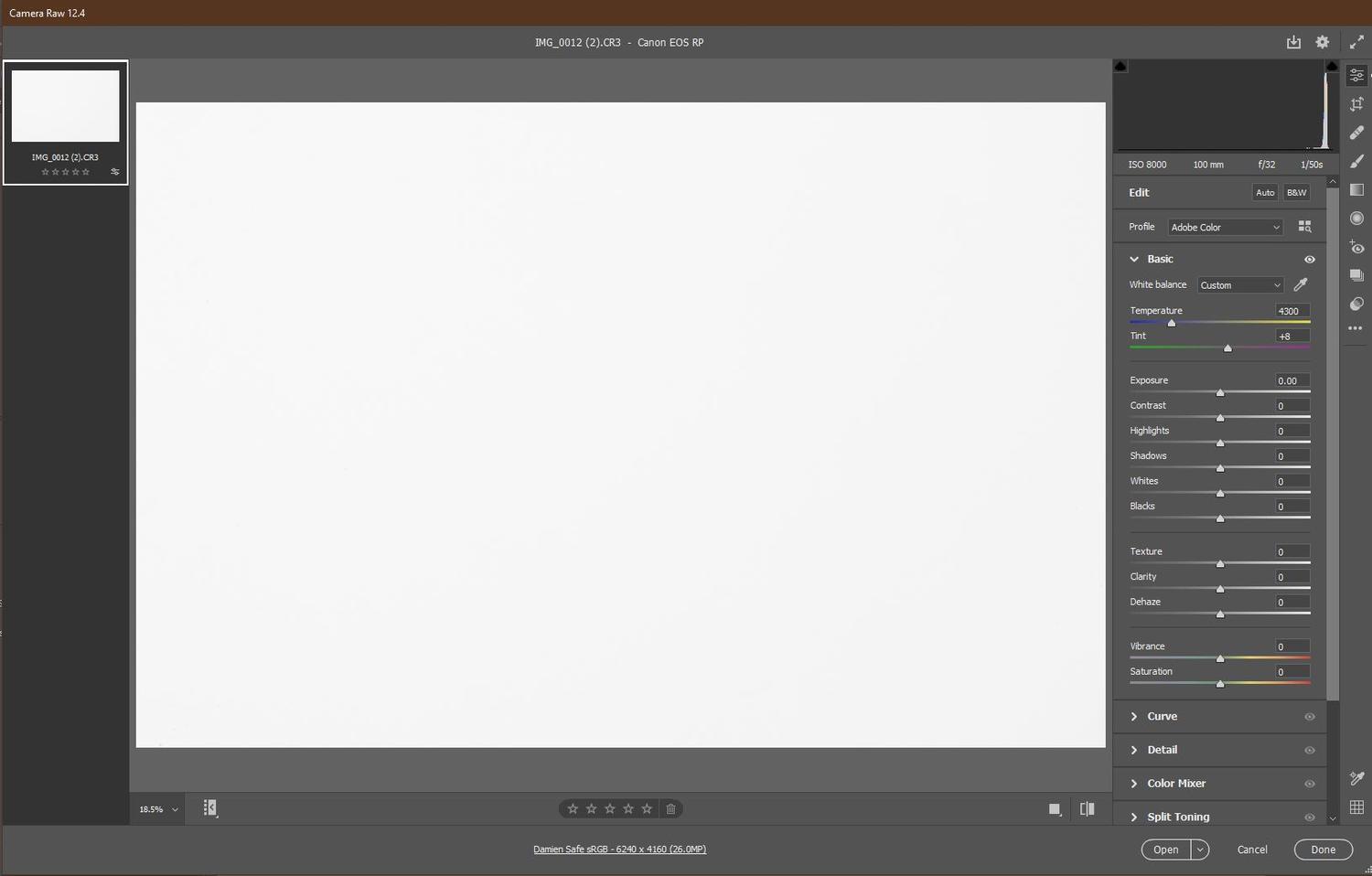
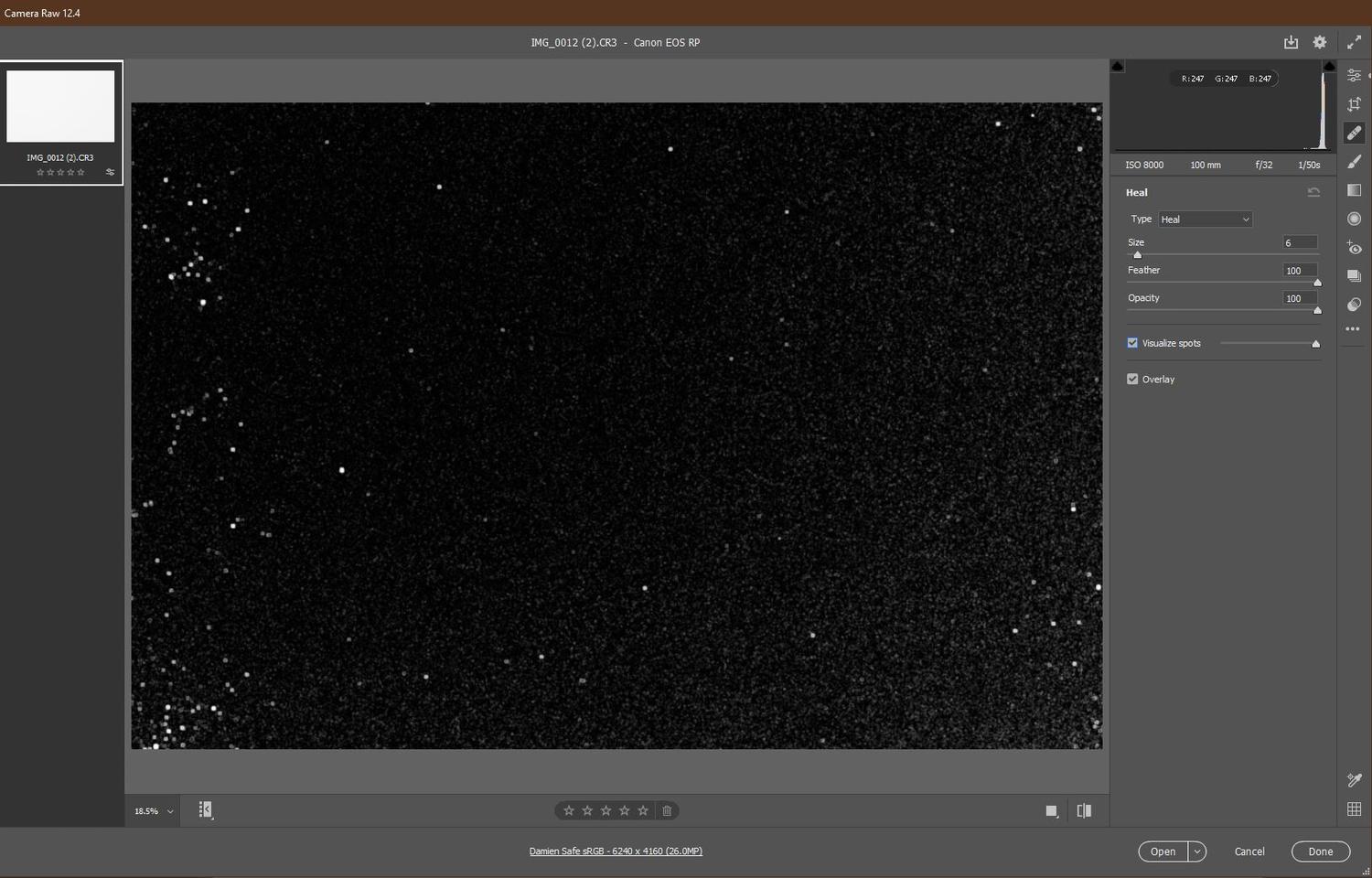
I've posted these images to Kim too for her advice 1) sliders in acr showing a well exposed piece of paper taken with a macro lens f32 2) visualise spots in acr 3) a stamp visible layer created using the luminosity panel I use for spot/dust removal 4) a 100% crop of 3 above 5) a 100% crop of the image of 3 above The image here was taken with a different lens to the one initially found the issues with and this is after the sensor clean Any advice would be welcomed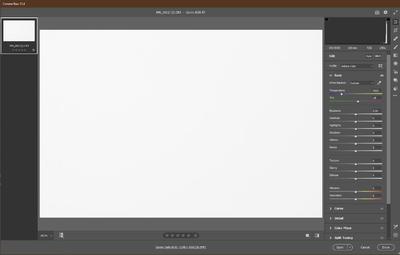
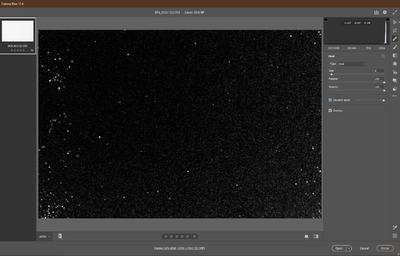
.visualisespotsinphotoshopwellexposedpaper100mm.thumb.jpg.490c98b3e418b211ba1682e6648c2b7a.jpg)
.700x700cropofvisualisespotsinphotoshopcreatedbyGregBenzluminositypanel.thumb.jpg.fd8dd64447366581cc67e5ca2224c031.jpg)
.700x700cropofvisualisespotsinphotoshopcreatedbyGregBenzluminositypanelimage.thumb.jpg.1458a47b5e516607308729e372dd6e38.jpg)
-
I've recently done a lot of landscape shooting and whilst editing the files, I noticed a lot of dust spots on the images so I sent my camera for cleaning. My husband collected the camera and the shop assistant said that the camera was actually already quite clean but he'd cleaned the sensor etc anyway. He did ask my husband if any of the images I was editing were underexposed as he thought that this could cause this issue, ie, dust spots on the images I've just taken some more shots this morning and whilst editing, I can see almost the same spots on the images as before. The file that I noticed it in was probably a little underexposed so I tried to find an image where the exposure was a little better and there seemed to be no spots visible in the images (I use a plug in by Greg Benz, he has a luminosity masking panel and this has a dust spot finder). Editing out the dust spots is very time consuming So I guess what I'm asking is, is it the underexposure causing the 'dust spots' on the images and if so, how? I've also asked Kim for her advice on her forum page but any input would be welcomed Thanks
-
I read a post on Damien's fb page where someone was after help with a slow pc (Specifically a mac) and in that thread I read that you no longer recommend Avast or Ccleaner, both of which I use. I also have Glary installed. I am using a laptop running windows 10 professional. What software do you recommend instead of the above now please?
-
Screen dims when using bridge
Jackie Matthews replied to Jackie Matthews's topic in The Windows & PC Hardware Forum
It's a Lenovo legion gaming laptop. I have an NVIDIA control panel but there's nothing obvious in there -
Screen dims when using bridge
Jackie Matthews replied to Jackie Matthews's topic in The Windows & PC Hardware Forum
Any clue what to look for? I've checked 'obvious' like screen dimming but not sure what else to look for -
Screen dims when using bridge
Jackie Matthews replied to Jackie Matthews's topic in The Windows & PC Hardware Forum
I have just connected my laptop to my tv via hdmi lead and bridge does not dim on that screen -
Thanks, hopefully that sorts it
-
Screen dims when using bridge
Jackie Matthews replied to Jackie Matthews's topic in The Windows & PC Hardware Forum
I think I have a working screen I can try tomorrow


.visualisespotsinphotoshopwellexposedpaper100mm.jpg.c61f630e7795e7b21494eb4f8489e97c.jpg)
.700x700cropofvisualisespotsinphotoshopcreatedbyGregBenzluminositypanel.jpg.9581a996cd31818eda614aab206d2900.jpg)
.700x700cropofvisualisespotsinphotoshopcreatedbyGregBenzluminositypanelimage.jpg.a0e69f51b1ba9eff23ab875a1b861f0b.jpg)