Jackie Matthews
-
Posts
1,779 -
Joined
-
Last visited
-
Days Won
2
Everything posted by Jackie Matthews
-
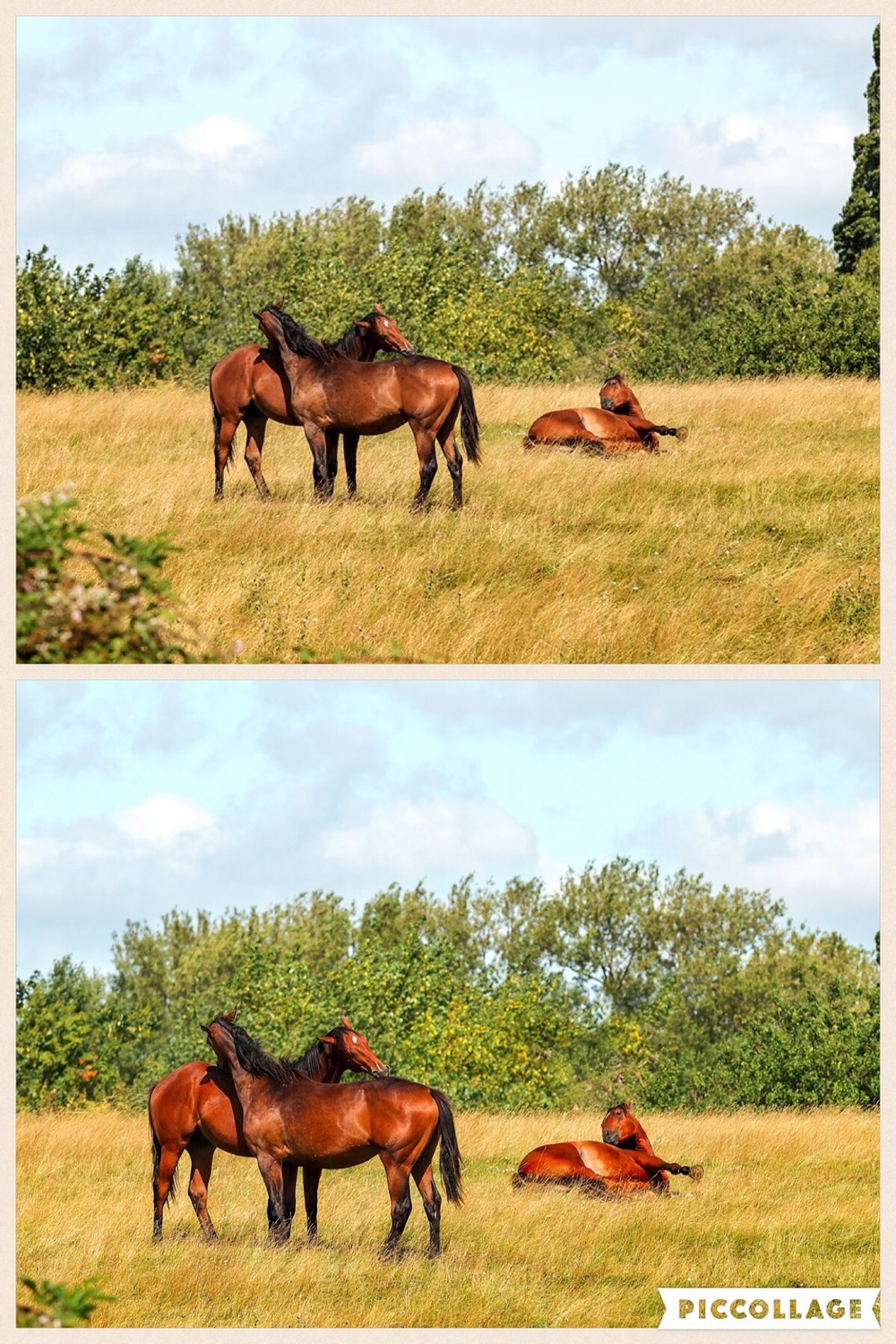
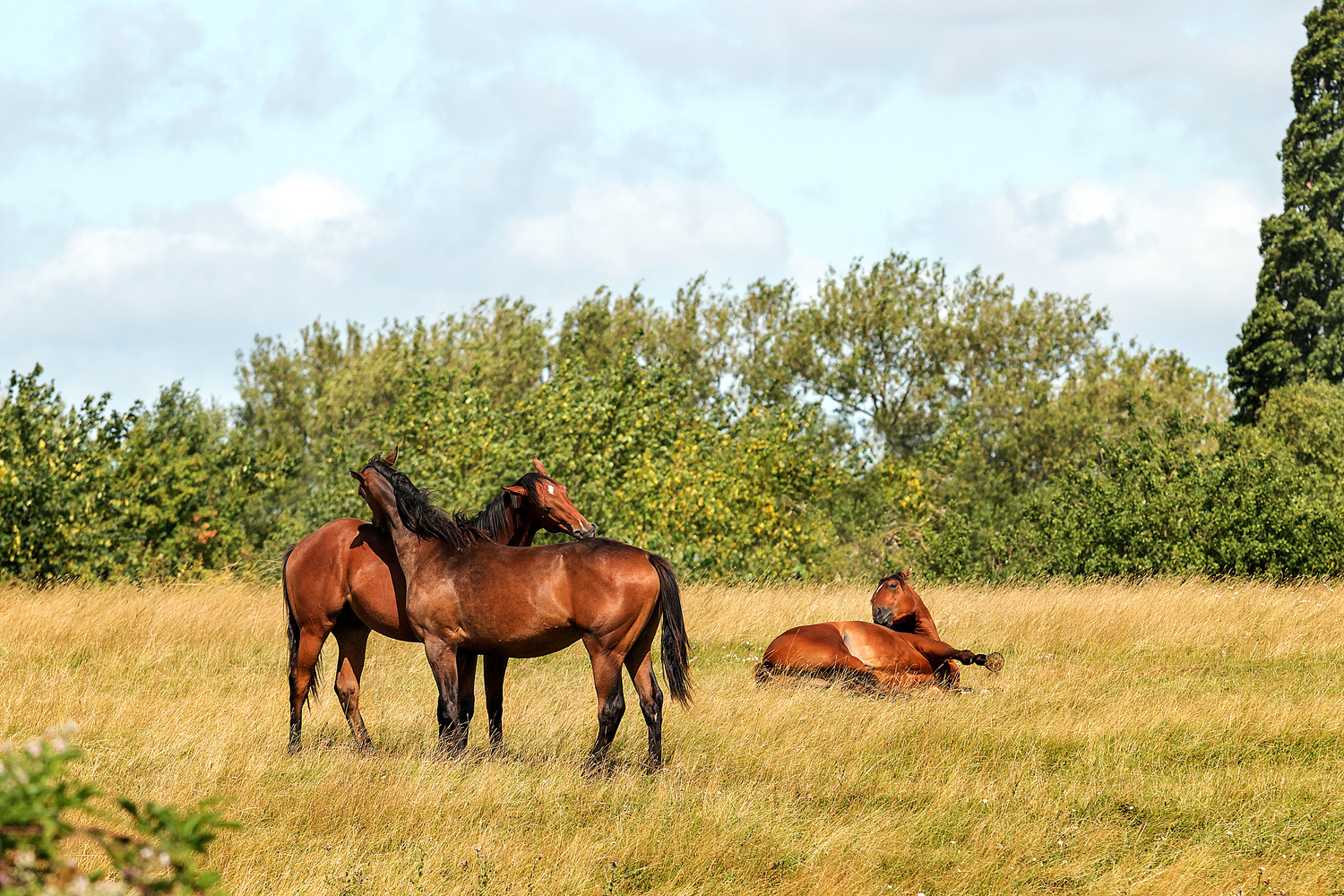
 Firefox set up as per your instructions. There's a definite difference on my iPad. I upload files to Pixoto into weekly challenges and I only ever use 960 pixels on the longest edge. I put one on last week and it was really washed out compared to my file. Not sure how well the image I've attached is going to show up but in the full size file the horses have a definite 'red' saturated look to them but the smaller file shows them as brown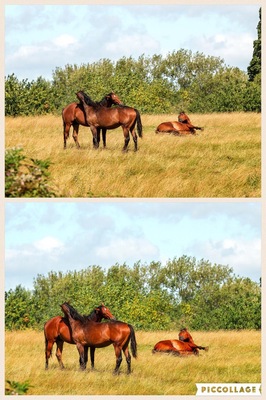
-
I resize my files to 960 x 640, 72 dpi for uploading to web pages. I've just finished editing a picture which I saved at 12 x 8, 300 dpi for printing and also 960 x 640, 72 dpi for web upload. Looking at the files next to each other on my ipad, there is a marked difference in the colour saturation of each file - the smaller file which I upload to the web is decreased in saturation whereas the file for printing is as I expect it to be. For each file I flattened my layers and prepared the image sizes as stated above. Why has the saturation diminished? OK, so after attaching the files to this page it seems like the files look the opposite to my query above, ie, the larger file on the right looks slightly less saturated/vibrant than the smaller file on the left. Viewing the files in Bridge, they are both the same. I have not noticed this problem until this last week or so
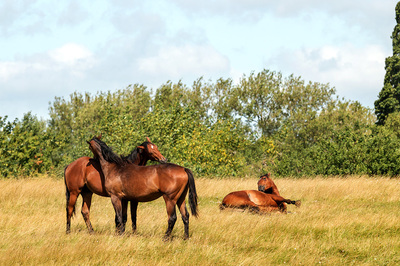
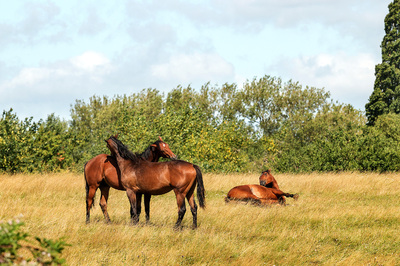
-
perfect, thank you, I've written it down now :-)
-
Before I took any of the classes I would crop in ACR. I now realise that's not the thing to do. Damien did tell me in the RAW class when it was on fb how to undo the crop. I should have made a note as I can't remember how to do it
-
Optimisation of photoshop cc
Jackie Matthews replied to Jackie Matthews's topic in The Windows & PC Hardware Forum
windows 10, 134 gb free and 8gb ram -
Optimisation of photoshop cc
Jackie Matthews replied to Jackie Matthews's topic in The Windows & PC Hardware Forum
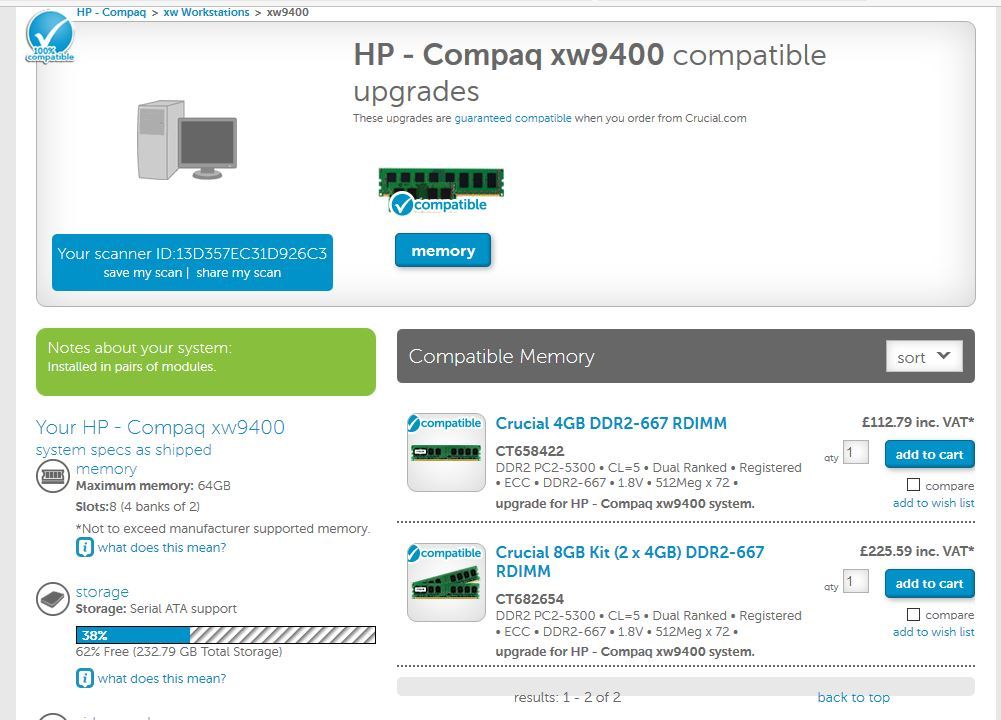
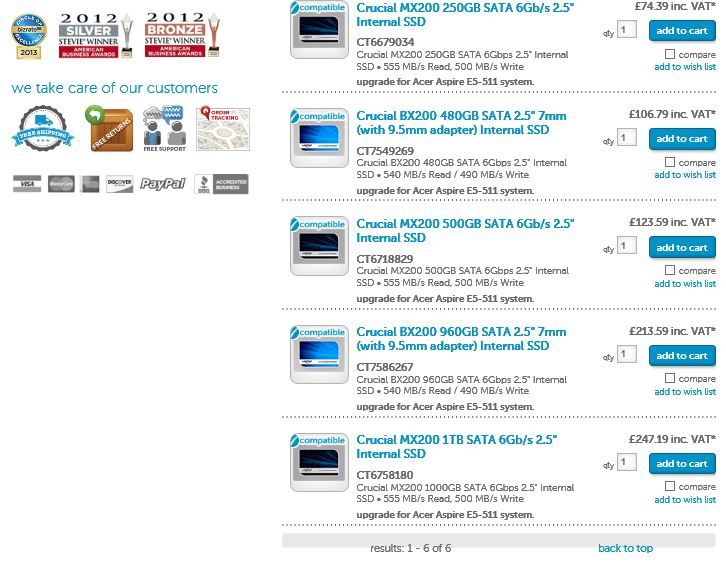
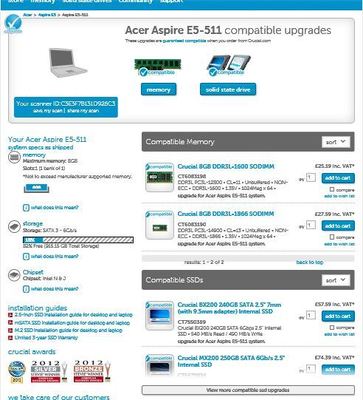
:-) thanks for the info. the screenshot below is from a tower I have that I keep meaning to sell as I don't really use it that much. It was supposed to be fast when I bought it. how does the spec look for this? are there any day to day activities that I could be doing just as a general maintenance kind of thing? like using ccleaner for my pc to keep things moving along anyway?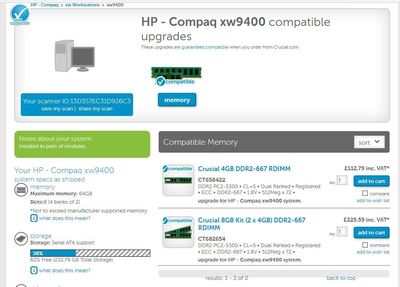
-
Optimisation of photoshop cc
Jackie Matthews replied to Jackie Matthews's topic in The Windows & PC Hardware Forum
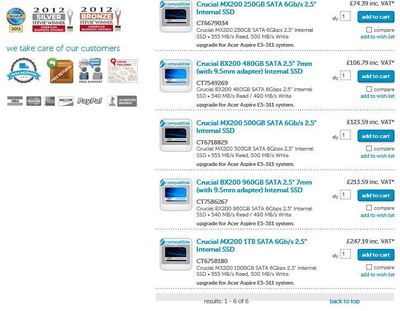
-
Optimisation of photoshop cc
Jackie Matthews replied to Jackie Matthews's topic in The Windows & PC Hardware Forum
-
Cropping
Jackie Matthews replied to Jackie Matthews's topic in Output - print, websites, Facebook, email, client disk, etc
Thanks Samantha -
My RAW files are 5474 x 3648. I've recently been accepted to Shutterstock and I can't get my head round cropping and file sizes and when to do what - if I have an image which needs cropping to place items in the frame to look better, should I crop first and resize the image afterwards? I've been resizing to 3000px x 2000px (my choice of file size not theirs) for files that don't need cropping so I don't have a problem with that but for those that need cropping how would I go about that to maximise the pixel quantity please?
-
Optimisation of photoshop cc
Jackie Matthews replied to Jackie Matthews's topic in The Windows & PC Hardware Forum
ok thanks for this. I haven't run the scanning tool yet but I'll get back to you when I do -
Optimisation of photoshop cc
Jackie Matthews replied to Jackie Matthews's topic in The Windows & PC Hardware Forum
Windows 10 -
Optimisation of photoshop cc
Jackie Matthews replied to Jackie Matthews's topic in The Windows & PC Hardware Forum
Canon 70d, 8 GB RAM and 759GB free -
Are there any steps I can take to make photoshop run faster? I use ccleaner to clean up my computer on a general basis I just wondered if there was anything I could do for photoshop as at times it runs more slowly than others. I have googled it but it's quite difficult to ascertain whether the info given is viable
-
Ok thanks
-
Thanks for that. I struggle when your icons look different or are in a different place but I've worked it out now. Just as an aside, when you place files, what types of files are acceptable or best to place? PSD's, jpegs? I am in your sharpening class and I've not ventured as far as canvas preparation as up until now I've not needed/wanted it. I'll have a read through there but thanks for the help with the storyboard anyway
-
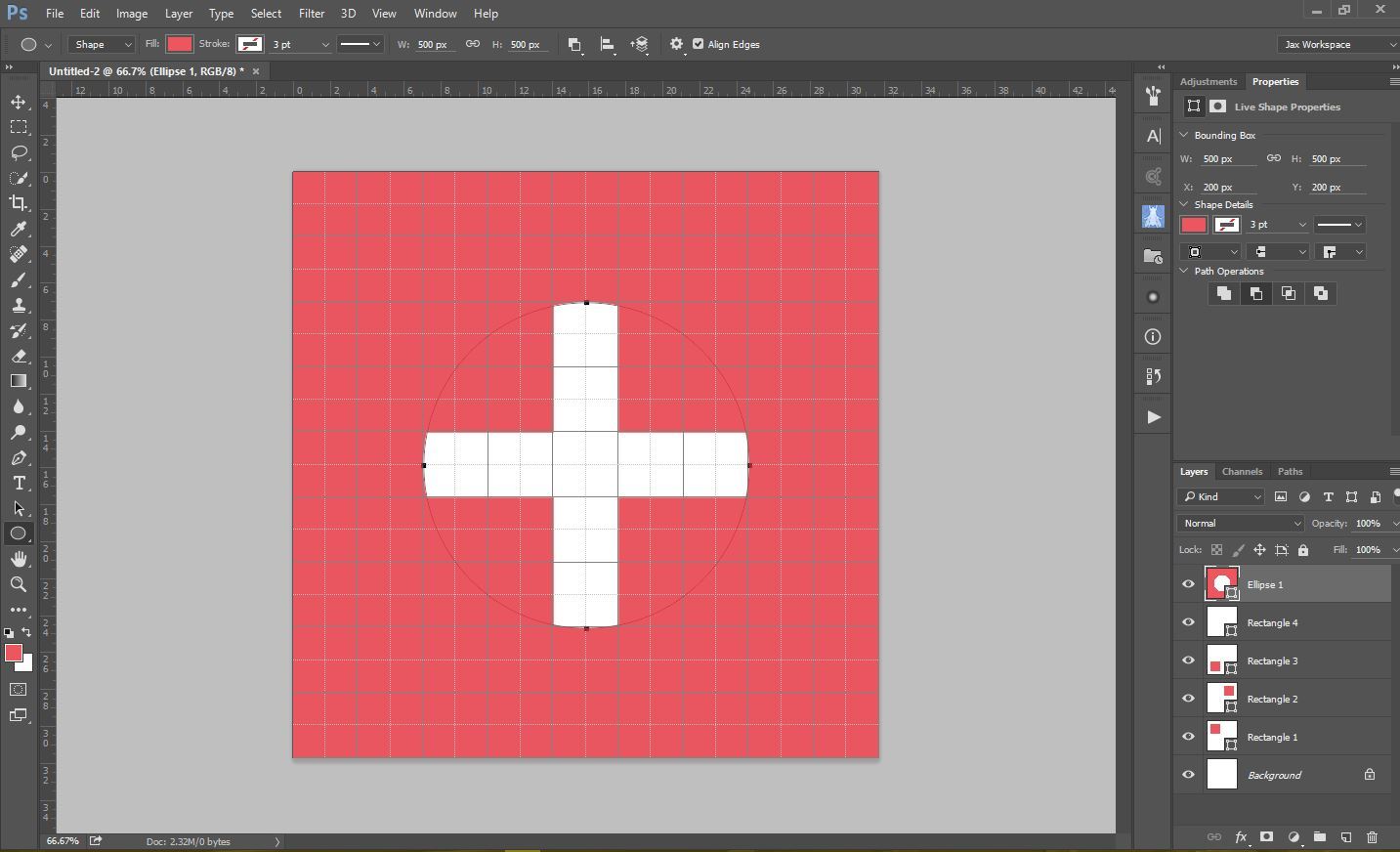
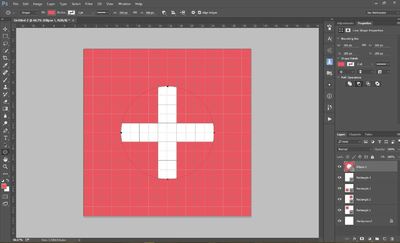
I'm trying to follow the tutorial for creating intersecting shapes on a storyboard but I'm obviously doing something wrong. Your tutorial doesn't show the buttons that are available in CC so I think I've made an incorrect choice somewhere. I get a Swiss flag not what you show!!
-
It would be easier if they did! Thanks for the info though
-
Someone has just asked a question on a fb group I follow and I'm wondering why you would use the ctrl + b for a colour balance adjustment, ctrl + l for a levels adjustment etc etc. I was told that these are destructive adjustments. Is this correct? I'm not sure why you would want to do destructive editing but I just wondered what they were used for Thanks
-
Seems like it but I'm not overly concerned but thanks again
-
OK. My laptop is 15", my monitor is 19". By low resolution on the monitor I guess that it takes the resolution of the laptop and uses that until the monitor resolution has been set correctly. It's OK, I've sorted that. So as it stands at the moment when I use my laptop on it's own, all is good. When I plug the monitor into it to edit something the monitor is at the correct resolution and colour but the laptop shows an incorrect colour calibration. (monitor is 1, laptop is 2). I think that this is as good as I can get without purchasing another calibrator to get a dual profile so I think that your help has solved my problem as far as it can go at the moment thank you. I have just seen though that Firefox can only work on the primary screen (1?) correctly so I'll bear that in mind. Thanks for your input
-
I switched them round and I had a low resolution display on the monitor but it was the same colour as the laptop was showing. I'm using photoshop on the monitor and I can drag some of the options to the laptop
-
the monitor is number 1, the laptop is 2
-
No worries on the calibration. I may invest in another one at some point if you have a recommendation? Yesterday my laptop was totally blank and the monitor was working ok. Today however the laptop is on with the same desktop picture as the monitor but I only have icons on the monitor
-
Auto Blending Focus Stacked Images
Jackie Matthews replied to Stephen's topic in Miscellaneous questions or problems
I'd heard of this software but I don't really take images professionally so I didn't think it worth investing in more software but I'll bear it in mind so thanks