Damien Symonds
-
Posts
213,105 -
Joined
-
Last visited
-
Days Won
3,542
Everything posted by Damien Symonds
-

Sharpening for fb
Damien Symonds replied to Falon's topic in Output - print, websites, Facebook, email, client disk, etc
After you saved the PNG, what was the resultant file size? -
Sharpening for fb
Damien Symonds replied to Falon's topic in Output - print, websites, Facebook, email, client disk, etc
Hi Falon, have you browsed these? https://www.facebook.com/media/set/?set=oa.349114581815415&type=1 I hope those will give you a basis for your own testing, and come up with what works best for your photos. -
It doesn't have to be good, it just has to look good. This looks fine.
-
Have a calibrator on hand
Damien Symonds replied to Murphle's topic in Monitor calibration questions or problems
I'm skeptical, but give it a go. -
Fabulous! Now for the next step in improving your photos: https://www.damiensymonds.net/bridge-30-day-challenge
-
So true!!!
-
Thanks. Just emailed you.
-
$46 or $82. https://www.damiensymonds.net/trainingraw-signup.html
-
Not until you can demonstrate competent clean editing. This style will NOT work on flat images. This is vital.
-
The Raw Class flow chart. You know, the one that steps you through white balance, exposure, etc.
-
Not even close. Please follow the Flow Chart properly.
-
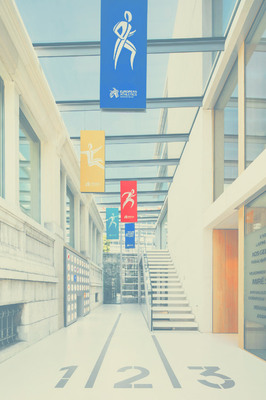
Then, something like this, perhaps?
-
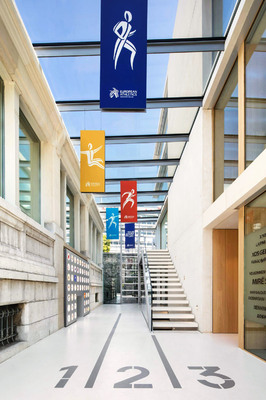
Well ... no, it's flat and dark, and with dubious white balance. This is not clean-processed by a long way. There is heaps of scope for more life in this photo:
-
Yep, that might work. Go ahead and do your clean processing as normal, then show me.
-
Ah, crap, I didn't keep it. I'll have to start again. Provide a photo of your own for me.
-
Could you link me to the question from last year? I can re-upload the file.
-
I reckon if you burned a little more shadow in there, it would be ok. For shadow, I always like to add a Hue/Saturation layer, and reduce the Lightness slider to about -60. Then invert the mask, and paint on very gently.
-
Hmmmm .... did they provide you with the layered file?
-
Gee, their dark areas will need to be darker yet, won't they?
-
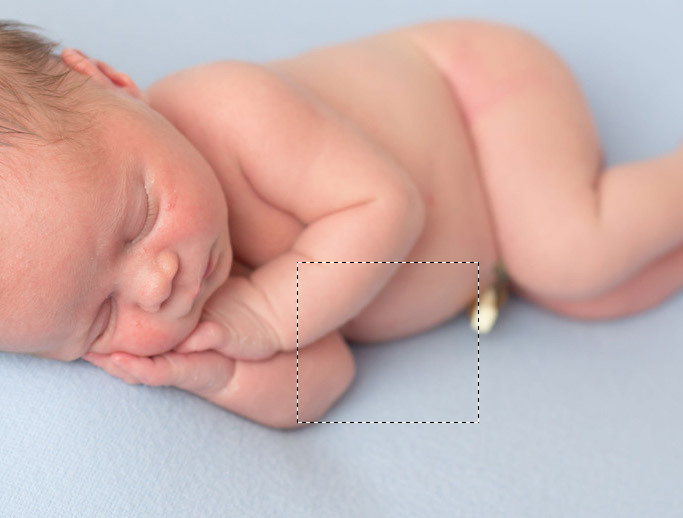
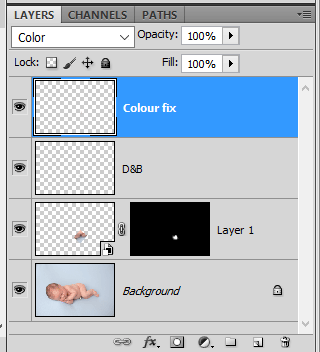
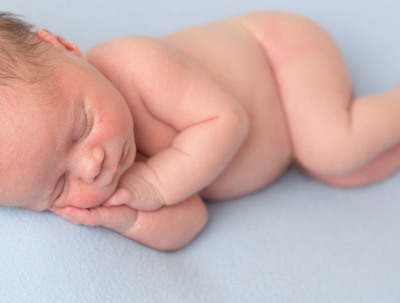
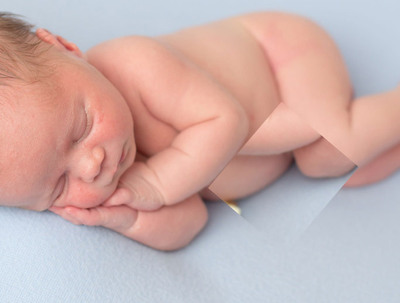
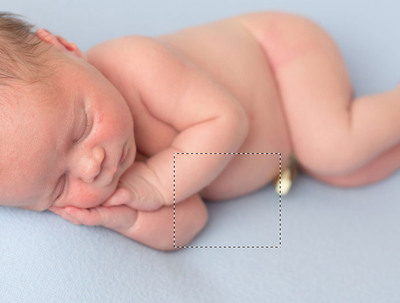
Well, I figured that the shape and shadowing where the tummy met the elbow was similar enough to use for the place where the tummy meets the knee. So I selected that chunk ... ... then Cmd J to put it on its own layer. Then I flipped it and rotated it, and moved it into place: Then masked it in. Then balanced out the shading and colouring using the handyman method: This is what my layers panel looks like: Does it look ok?
-
Terrific. There are two possible answers to your question. 1. Find a more suitable hand from another shot, and put it in there. This could be easy, or insanely hard, depending on what hands you can find. 2. Google "Puppet Warp Tutorial". It's designed for exactly this purpose. However, it'll be a bit of a learning curve, so allow lots of time. (In fact, before you even start, ask yourself if it's worth all the time it will take. How important is this to you? If you go for Option 2, make sure you do it on a duplicate of the background layer, because you'll need to clone out the original hand. Read this article to see what I mean. The cloning will need to be very careful, because it will be painfully obvious if you don't line up the fabric texture properly.
-
And you've fixed the problem?
-
Great. Have you fixed the colour space problem?
-
Which version of Photoshop do you have?
-
Oh gee, you have a much more serious problem than a wayward hand. Please follow this troubleshooter ALL the way to its conclusion: https://www.damiensymonds.net/art_tscs000.html