Damien Symonds
-
Posts
213,105 -
Joined
-
Last visited
-
Days Won
3,542
Everything posted by Damien Symonds
-
This is the best method I know.
-
 @SandySilveira?
 -
Copying layers from one photo to another
Damien Symonds replied to SueRoberts's topic in Help with editing
If you want them to line up, hold down Shift as you drag. -
Copying layers from one photo to another
Damien Symonds replied to SueRoberts's topic in Help with editing
Of course. https://www.damiensymonds.net/2011/07/photoshops-arrange-functions.html -
auto mask and turn it off
Damien Symonds replied to Bec's topic in Photoshop / Elements / Bridge / ACR questions or problems
You SERIOUSLY need to renew the Layers & Masks Class. It's only $14 to do so, and you badly need it. -
auto mask and turn it off
Damien Symonds replied to Bec's topic in Photoshop / Elements / Bridge / ACR questions or problems
What the hell? You ALWAYS want a mask added to your adjustment layers. DO NOT TURN THAT OFF. -
auto mask and turn it off
Damien Symonds replied to Bec's topic in Photoshop / Elements / Bridge / ACR questions or problems
Before I tell you how to do it .... why? -
Yeah, don't take any guff from the lab. Sounds like they messed up this time. You've double-checked that they're sRGB?
-
Your settings are perfect. You're right not to change them. As long as your calibrated screen still matches previous prints you've had, then yes, I agree that this is a problem with the latest print batch. Can you describe how the latest prints differ from your screen?
-
@msn?
-
Stacey?
-
How did you go?
-
i1 Profiler for printing
Damien Symonds replied to nilajean's topic in Monitor calibration questions or problems
No, you can at least make a start. -
i1 Profiler for printing
Damien Symonds replied to nilajean's topic in Monitor calibration questions or problems
If you don't have pro lab prints in your hand, you haven't calibrated. -
i1 Profiler for printing
Damien Symonds replied to nilajean's topic in Monitor calibration questions or problems
Oh, now I'm very nervous. Did you follow these instructions for your calibration? -
i1 Profiler for printing
Damien Symonds replied to nilajean's topic in Monitor calibration questions or problems
Make sure you always have a set of pro lab prints on hand to verify your screen calibration. DO NOT CALIBRATE YOUR SCREEN TO MATCH YOUR HOME PRINTER. -
i1 Profiler for printing
Damien Symonds replied to nilajean's topic in Monitor calibration questions or problems
Ah, this is a vexed question. You see the Printer section in the calibration software because that's the same software they provide with all their devices. Unfortunately, your i1DisplayPro can't calibrate printers. You need the MUCH more expensive hardware for that. Please please PLEASE don't do this. Printing your own is for fools and zealots. It's not worth the trouble, and it's MUCH too expensive. For starters, you need to buy the very expensive calibration hardware I just mentioned above. And then all the ink and paper you use just to get the calibration right. Sell that thing, and find a good lab. -
Oh gee, no. You have to do your raw processing first.
-
Yep, try this. Duplicate the Background layer (or make a selection around his face just like your 100% crop here, and duplicate that) then run High Pass filter at about 4.0 radius. Then change that layer to Overlay blend mode. Then add a black mask, and paint on to the freckled areas.
-
I've had some success with the High Pass filter in the past. May I see the photo? A 100% crop of the freckles?
-
Yeah, no, jpegs should never be 20MB. I wasn't at all surprised to see you say "him" in this post. It must be a penis-related thing, it so often seems to be men who demand outrageously big files. He is an idiot, of course. The problem is that people like this think they know something about digital imaging, but of course they don't. On average, what are the pixel dimensions of the files you sent him? And what quality level did you save them at?
-
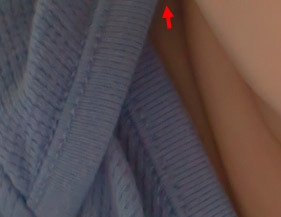
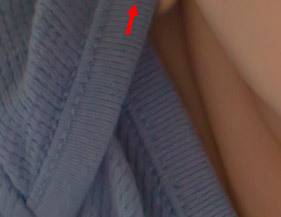
Oh, it's quite simple matter of cloning. As usual, add a blank layer to clone on, and make sure your Clone Tool is set to "Sample Current and Below" in the options bar. First, clone the fabric part. Make sure the lines of the fabric texture are lined up exactly: Then, the skin part:
-
Converting from Mac to PC
Damien Symonds replied to Royal Jayhawk's topic in The Windows & PC Hardware Forum
This is the one I use: http://www.glarysoft.com/ -
http://www.glarysoft.com/
-
I don't know, sorry. Just restart daily, and run Glary regularly.