Damien Symonds
-
Posts
212,858 -
Joined
-
Last visited
-
Days Won
3,532
Everything posted by Damien Symonds
-
I think it's feasible for sure! The problem is not the composite, it's the lighting. You need to brighten the baby, I reckon.
-
 I'm very distrustful of lamps. Their light is so directional, they can never provide the nice even lighting your room needs.
 -
White Product Background
Damien Symonds replied to Sue Phelps's topic in How to achieve a certain look or effect
Please don't condemn yourself to the hours and hours and hours of editing this would involve. Get it white in camera. Maybe this will involve putting the jewellery on a light box? I'm not sure. -
Damiens Web Action not saving
Damien Symonds replied to Tania James's topic in Questions about tutorials and articles
No. Raw Class first. -
Damiens Web Action not saving
Damien Symonds replied to Tania James's topic in Questions about tutorials and articles
This happens to all of us occasionally, and an unfortunate few people all the time. It sounds like you're not clicking here?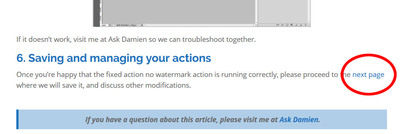
-
Under Water edit - how can I do it?
Damien Symonds replied to Twins mama's topic in How to achieve a certain look or effect
Just to check - you can see how completely implausible they are, right? -
Download the PSD
-
It was done using this method.
-
Looks good. May I see a 100% crop of the area?
-
There must be a vector version of that image in existence. You need to bust heads until you get it.
- 1 reply
-
- 1
-

-
I inverted, then used the polygonal lasso tool to select the straight line, and filled in the lower area with white.
-
Does it still work on older files, where you know it used to work?
-
Under Water edit - how can I do it?
Damien Symonds replied to Twins mama's topic in How to achieve a certain look or effect
Ok, that one is really dodgy. The reflection in the water isn't even red like it should be! It's possible it's Flood? -
Lovely. Now restart and see if the problem still exists.
-
The dummy is the right colour for the photo. Just go with it.
-
Sorry, I've been playing around with it too. The angle just isn't quite right, is it?
-
This is significantly less than the 1/3rd free space that Brian recommends. Better try to trim it a bit. And run this pronto.
-
Grey squares on white background
Damien Symonds replied to Claire Bear's topic in Miscellaneous questions or problems
@Claire Bear? -
Sorry. Without a mouth to swap, you've got nothin'.
-
Wait, can you do this first? http://www.damiensymonds.net/thread1.html
-
Ok. And what's the problem, exactly? Are you saying the "Paste settings" menu item isn't available?
-
I'm not aware of that functionality ever existing in ACR, to be honest. As far as I knew, it only exists in Bridge. In ACR, you'd use the "Synchronise" button.
-
Well, mystery solved.
-
Liquify MUST come before those other things. http://www.damiensymonds.net/2015/07/order-of-layers-for-complex-pixel-edits.html
-
Well, what was different about that one image? Was it, for example, 16-bit?