Damien Symonds
-
Posts
213,153 -
Joined
-
Last visited
-
Days Won
3,543
Everything posted by Damien Symonds
-
For the fourth one, a Channel Mixer layer with these values: Red channel: +100, 0, 0, 0 Green channel: +58, 0, +40, -11 Blue channel: 0, 0, +120, -21 Mask to the glare area first, then you'll see it has discoloured the whites of her eyes (and the catchlights) a little too much, so mask those areas off very slightly with a low opacity black brush.
-
For the third one, this is the best I can offer: Download PSD
-
For the first and second ones, they're very easy. Just add a Solid Color layer and choose a skintone colour, then change the layer's blend mode to "Color", and mask it on to the problem areas.
-
Well ... exactly the reason I said. Because with a solid black background you don't need to artificially create any edges of the lady.
-
If you don't choose a solid black background, it will be necessary to artistically create an edge around the lady which doesn't presently exist. And I fear you don't have the necessary Photoshop skills for that very difficult task yet. I urge you to stick with black for this one.
-
How did it go, @Dianna Cameron?
-
 @heather723, PLEASE don't wait any longer to dive into the Raw Class. Don't let your membership dwindle away unused.
 -
I don't think there's a way of doing it well, sorry.
-
Why do you need to?
-
Definitely not the same way you extended it on the left hand side. That looks too obvious. May I see the original?
-
Brian, I think Dianna is looking to buy one.
-
Thanks. I'm sure Brian will also need to know what kind of photography you intend to do. Family, scenery, food, etc etc.
-
You've posted in Brian's section, and that was a wise move, because this is definitely a question for Brian. I expect he might like to know what camera you have at the moment?
-
Layers Panel won't dock properly on workspace
Damien Symonds replied to Teekay's topic in Miscellaneous questions or problems
I hope you'll consider the Bridge Class this year. It's only ten bucks, and packed full of useful workflow info. -
Layers Panel won't dock properly on workspace
Damien Symonds replied to Teekay's topic in Miscellaneous questions or problems
Now that it's finally snapped somewhere, it should be easier to slide it around. -
Layers Panel won't dock properly on workspace
Damien Symonds replied to Teekay's topic in Miscellaneous questions or problems
Gosh, that sure is unusual. Usually you can drag the panel around, and it'll "snap" into place. If yours isn't doing that, I fear you'll need to go to Window>Workspace>Reset Workspace, and start over. -
I don't see any option other than black for the background. Add a "Solid Color" adjustment layer of black, and mask it on around her.
-
There's nothing can be done about focus, I'm afraid. It is what it is. For the background, I figure plain black would be best - is that what you were thinking too?
-
mobile phone pic
Damien Symonds replied to Sarah_'s topic in Output - print, websites, Facebook, email, client disk, etc
I think it'll be excellent. Why not test a bigger print like this? -
Can you start a new thread with the Jeana question? It gets too confusing trying to have two discussions in one thread.
-
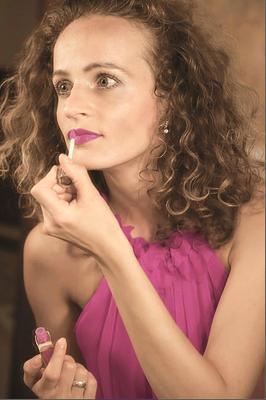
What? It's EXACTLY the colour you asked for.
-
-
Actually, sorry, these numbers are closer: R 215 G 145 B 245
-
Well, why don't you try it and see? Add a Levels adjustment layer, and move the white Output slider on each of the three channels thusly: Red 210 Green 130 Blue 235 Then mask it very carefully to the dress.
-
Ok, I think I understand. Could you tell me an approximate colour (RGB values) that you'd like the pink to be?